
The Beginner’s Blueprint: Your First 30 Days of Owning a T-Shirt DTG Printer (Setup to Profit)
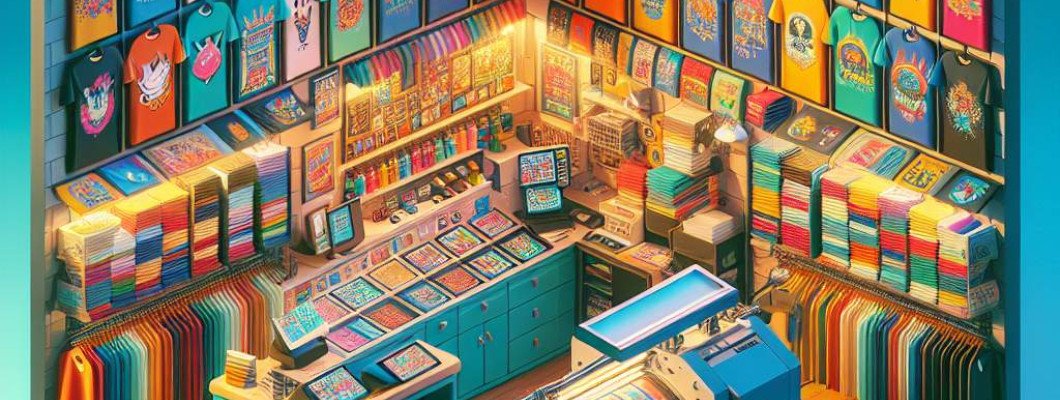
Are You Struggling to Make Your First Sale with Your T-Shirt DTG Printer?
If you"ve just unpacked your new T-Shirt DTG printer and feel overwhelmed, you"re not alone. Many beginners hit a wall in their first 30 days. The key is to have a clear, actionable plan from setup to profit. That"s exactly what I want to share today—my formal blueprint for turning your machine into a money-maker in just one month.
Understanding Your T-Shirt DTG Printer Setup
Getting Started Right Out of the Box
Proper setup is the foundation of your success. When I first unboxed my printer, the first thing I did was carefully follow the manual. Skipping steps can lead to costly mistakes later. Here"s what I recommend:
- Level the Printer: Make sure the platform is perfectly level for even prints.
- Install the Software: Download and install all drivers and software. Test the connection to your computer.
- Test Print: Run the initial test to check print quality and troubleshoot issues early.
Don"t rush it. This initial setup can seem tedious but is crucial for high-quality prints from day one.
Designing Your First T-Shirt Artwork
Create Eye-Catching Designs
Next step: design. You need compelling, professional-looking artwork. Use design tools like Photoshop or free options like Canva. Keep these tips in mind:
- Keep It Simple: Bold images and clear fonts work best.
- Use High-Resolution Files: At least 300 DPI for sharp prints.
- Test Print Colors: Colors vary on fabric and monitor calibration. Always do a test print before mass production.
Pro tip: Create a few versatile designs that you can tweak—this saves time and lets you test different styles quickly.
Preparing Your T-Shirts for Printing
Selecting and Prepping the Garments
A lot of beginners overlook this step. Your printer can only deliver great results if your shirts are ready. Here"s what I did:
- Choose the Right Fabric: 100% cotton or high-quality blends work best.
- Pre-Treat Properly: Apply the pretreatment solution evenly. This ensures vibrant, long-lasting prints.
- Dry Completely: Fully dry the shirts before printing. Wet fabric causes issues with ink absorption.
Invest in a good pre-treatment machine if you plan to scale. It"s worth it for quality and consistency.
Mastering the Printing Process
From Test Prints to Full Production
Once your setup and design are ready, it"s time to print. Here"s my process for you:
- Run Small Test Prints: Adjust colors and exposure for perfect results.
- Set the Right Temperature and Speed: Follow your printer"s guidelines—too fast or hot can ruin the print.
- Monitor Quality: Always watch your first few prints for issues like ghosting or fading.
Remember, patience here ensures fewer reprints later. Practice makes perfect, and it"s all about quality control.
Launching Your First Sales and Marketing Strategies
Start Local, Go Digital
In my experience, the first 10 sales usually come from friends, family, or local markets. Be proactive:
- Create an Online Store: Use platforms like Shopify or Etsy.
- Social Media Presence: Post regularly on Instagram and Facebook showcasing your designs.
- Offer Promotions: Launch discounts or limited editions to attract early buyers.
Networking with local shops or markets can also boost your visibility. Engage your potential customers by sharing your story and process.
Scaling Up and Staying Profitable
Refining Your Workflow and Cost Management
As orders come in, look for ways to streamline and increase profit margins:
- Bulk Pre-Treat: Pre-treat multiple shirts at once.
- Cycle Printing Batches: Print in batches to save time and ink.
- Manage Supplies Smartly: Purchase ink and shirts in bulk to save money.
Track your costs and set clear profit goals. Use customer feedback to refine designs and reduce waste. As I did, don"t be afraid to experiment—your profit margin depends on efficiency and quality.
FAQs About Your First 30 Days with a T-Shirt DTG Printer
1. How long does it take to see profits?
Most beginners start making a profit within 4-6 weeks, but it depends on your marketing and order volume.
2. What is the most common mistake newbies make?
Skipping proper maintenance or rushing setup. This affects print quality and durability. Take your time with initial calibration.
3. Do I need to be a design expert?
No, but basic design skills help. Use templates and simple tools to create attractive artwork without much hassle.
4. What equipment besides the printer do I need?
Pre-treatment machine, heat press, quality shirts, and possibly a computer with editing software. Proper tools make a big difference.
5. How do I handle customer complaints or returns?
Communicate quickly, offer solutions like reprints or refunds, and always aim for quality control to minimize issues.
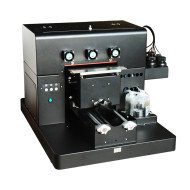
Starting with a T-Shirt DTG printer might seem tough at first, but with a solid plan for the first 30 days, you set yourself up for long-term success. If you're ready to get serious, check out this A3 DTG Printer—it"s a game changer for newcomers aiming to turn designs into profit fast.
















Leave a Comment