
What Running a UV Printer Every Day Teaches You About Real Production
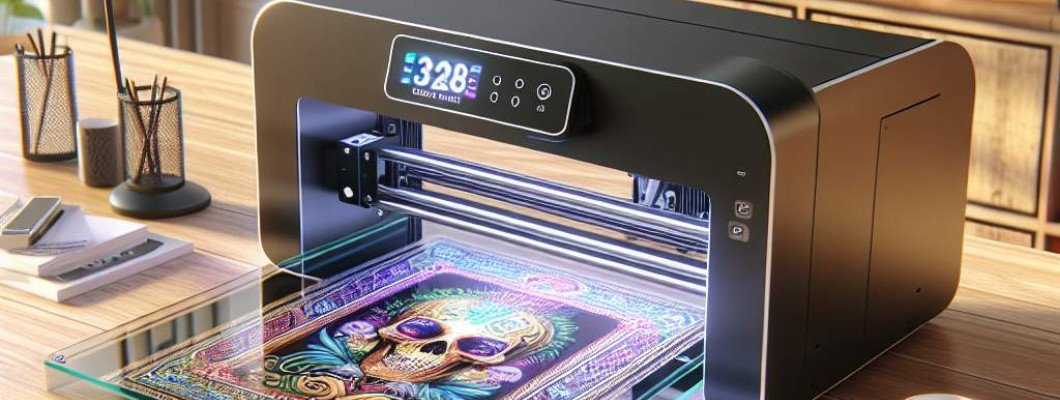
Struggling to achieve consistent quality and efficiency with your UV printing process? Running a UV printer every day isn"t just about producing prints — it"s a crash course in mastering real-world production. If you"ve ever wondered what it truly takes to optimize a UV printing operation, this post is for you. Let"s dive into the lessons learned from continuous use that can transform your approach to manufacturing and printing.
When I first started working closely with UV printers, I thought the process was mainly about setting parameters and pressing print. But after a few weeks of daily operation, I realized it"s much more nuanced. The key to successful UV printing lies in understanding the equipment's behavior, maintenance needs, and workflow optimization. This isn"t theory — it"s practical know-how gained from hands-on experience.
Understanding the True Nature of UV Printing
Running a UV printer daily reveals that every print job teaches you something about the machine"s capabilities and limitations. Unlike traditional printers, UV printers are sensitive to a range of factors — from material type to ambient conditions. With consistent operation, you learn to anticipate issues before they affect quality. For example, you might discover that certain substrates require specific primer treatments or that humidity levels impact curing. Tuning your process to these variables minimizes waste and maximizes throughput.
Key Lessons Learned from Daily Operation
1. Regular Maintenance is Critical
- Clean print heads daily. Accumulated dust and ink residue cause banding or streaks. Use recommended cleaning solutions and avoid aggressive scrubbing that may damage nozzles.
- Check and replace filters. Clogged filters reduce airflow, affecting curing times. Maintain filtration systems to prevent print defects.
- Inspect UV lamps regularly. Lamp performance diminishes over time. Replacing lamps proactively ensures consistent curing and color accuracy.
2. Material Choice Influences Final Output
- Use high-quality substrates. Lower-quality materials can result in poor adhesion and uneven curing.
- Test new materials before large runs. Small samples reveal how the substrate interacts with UV ink, helping you adjust print settings accordingly.
3. Calibration and Settings Are Living Documents
Every machine has its quirks. Daily operation helps you tweak calibration for color consistency, resolution, and curing strength. Keep detailed logs of settings used for different jobs, so you can replicate successful results easily. This ongoing calibration prevents major mistakes and reduces waste.
4. Workflow Optimization Saves Time and Money
- Plan multi-job runs. Batch similar prints to minimize machine setup time.
- Automate where possible. Integrate software that manages color profiles and job scheduling to improve efficiency.
- Perform routine pre- and post-job inspections. Catch issues early, preventing reprints and delays.
Operational Best Practices
Mastering daily UV printer operation involves a mix of technical skills and strategic planning. Here are some best practices based on real-world experience:
- Keep the environment stable. Temperature and humidity directly affect ink curing and adhesion. Use climate control if necessary.
- Train staff thoroughly. Proper handling of materials and understanding machine prompts prevent avoidable errors.
- Document everything. Every change or adjustment made during production should be logged for future reference and troubleshooting.
- Schedule preventive maintenance. Regular checks extend the lifespan of components and reduce unexpected downtime.
- Invest in quality consumables. Using superior inks and parts leads to better output and less maintenance.
The Real Benefits of Running a UV Printer Daily
Consistent operation reveals opportunities for improvement often hidden during sporadic use. These include:
- Better understanding of machine behavior. This knowledge helps troubleshoot faster and execute adjustments confidently.
- Enhanced print quality. Long-term familiarity allows for refining settings to produce vibrant, durable prints.
- Increased productivity. Knowledge of workflow bottlenecks enables smoother, faster production cycles.
- Cost savings. Efficient operation reduces waste and rework, directly impacting bottom-line profits.
Navigating Common Challenges
Running a UV printer daily isn"t without hurdles, but knowing how to address them is key:
Inconsistent Curing
Solution: Regularly verify lamp output, and replace lamps before performance drops. Adjust curing parameters based on material and ambient conditions.
Print Head Blockages
Solution: Implement routine cleaning schedules and use high-quality inks. Monitor nozzle health through test patterns.
Color Mismatch
Solution: Calibrate color profiles daily. Keep color charts and adjust profiles as needed for different substrates.
Material Adhesion Problems
Solution: Use compatible primers and surface treatment. Test each new material batch before starting large runs.
Choosing a UV Printer for Daily Production
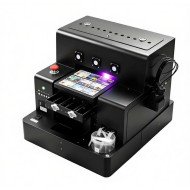
When selecting a UV printer designed for daily use, durability, ease of maintenance, and quality features are non-negotiable. Consider models like the Glossy UV Coating Printer, which are built for continuous operation and require minimal downtime. Investing in the right equipment means less troubleshooting and more consistent output — essential for a competitive print business.
FAQs
How often should I replace UV lamps?
Typically every 1,000 to 2,000 hours of use, depending on the lamp"s quality and usage patterns. Always monitor lamp intensity and replace proactively to maintain quality.
What materials work best with UV printers?
Rigid substrates like acrylic, glass, and coated plastics are ideal. However, many flexible materials can be printed on with the right settings and surface preparation.
How can I reduce ink wastage?
Optimize your print layouts to maximize material use, perform regular maintenance to prevent over-application, and calibrate printers accurately to avoid excessive ink deposits.
What maintenance should be performed daily?
Clean heads and filters, inspect UV lamps, and verify print quality. Also, check for ink residue or dust on machine components.
Can I run a UV printer overnight?
Yes, with proper maintenance and monitoring. However, ensure environmental stability and regularly check on the machine to prevent issues during extended runs.











Leave a Comment