
What Modern Organizations Expect from a Card Printer Beyond Basic Printing
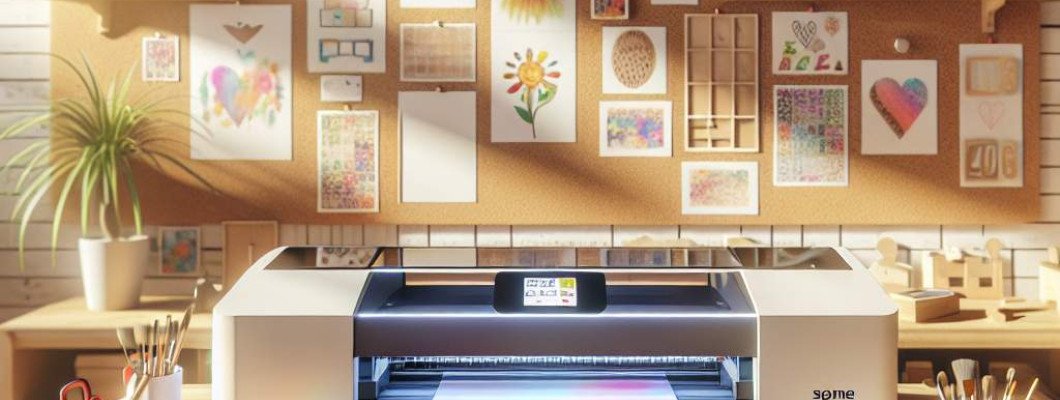
Struggling to find a card printer that meets all your organization"s needs? When it comes to modern ID card systems, **what organizations really expect from a card printer goes far beyond simple printing**. Features like security, customization, durability, and efficiency are now critical. If you"re tired of basic printers that only produce plain cards, it"s time to explore what a truly advanced card printer can do for your organization. Today"s printers are designed to streamline processes, enhance security, and deliver professional-quality results that represent your brand and safeguard your data.
Beyond Basic Printing: What Modern Organizations Need from a Card Printer
Traditional card printers could create simple ID badges, but today"s organizations demand much more. These are some key features and expectations that set high-performance card printers apart.
1. Security and Anti-Counterfeiting Features
- Embedded security elements: features like holograms, microtext, or UV elements prevent forgery.
- Encryption capabilities: helps protect data stored on cards, especially for access control or payment systems.
- Secure printing: options that prevent unauthorized access during the printing process.
Imagine printing employee badges with embedded holograms—this instantly boosts security and reduces counterfeiting risks .
2. High-Quality, Durable Prints
- Vivid color reproduction: ensures your organization"s branding is sharp and recognizable.
- Robust coating options: like UV coating or laminate layers that make cards resistant to scratches, fading, and environmental damage.
- Long-lasting cards: maintaining professional appearance over years without cracks or peeling.
Consider a university issuing student IDs that maintain their vibrant look and durability through years of use .
3. Customization and Versatility
- Multiple encoding options: magnetic stripe, RFID, barcode, or smart chips to meet varied access control needs.
- Personalization: printing names, photos, and QR codes dynamically—ideal for large events or organizations with frequent onboarding.
- Flexible media handling: ability to print on different card types, including matte, glossy, or specialty materials.
Think of a conference organizer printing personalized badges with attendee info and RFID for seamless access .
4. Speed and Efficiency
- Fast printing speeds: essential for large organizations or events with high throughput requirements.
- Batch processing: ability to load multiple cards and print continuously.
- Connectivity options: USB, Ethernet, Wi-Fi for smooth integration into existing IT workflows.
Imagine a busy HR team printing hundreds of employee ID cards in minutes without delays .
5. Ease of Use and Maintenance
- User-friendly interfaces: intuitive touchscreens or software that simplify operations.
- Minimal maintenance requirements: tools and support for quick repairs extend the lifespan of your printer.
- Regular updates and support: ensure your printer stays current with evolving security standards.
A simple-to-operate printer saves time and reduces errors, letting staff focus on core tasks .
Choosing the Right Card Printer for Your Organization
When selecting a card printer, consider your organization"s size, security needs, and expected card volume. Key factors include:
- Security features: Are embedded security elements necessary?
- Durability: How long should the cards last?
- Print quality: Do you need high-resolution images and vibrant colors?
- Card types: Will you need encoding, double-sided printing, or specialty media?
- Budget constraints: Balance features with cost-effectiveness.
To explore options tailored to demanding organizational needs, check out the latest UV printing and coating solutions to enhance your card quality and security.
Integrating Advanced Card Printing into Your Organization
Adopting a high-end card printing system is an investment. Implementing it smoothly involves:
- Training staff on features and maintenance
- Establishing security protocols for printing and card handling
- Integrating with existing ID or access control systems
- Planning for upgrades as your organization grows and security standards evolve
For example, a healthcare provider replaced outdated printers with modern, security-enabled machines, significantly reducing fraud risk and improving patient data access security .
FAQs About Modern Card Printers
1. What security features should I look for in a modern card printer?
Look for embedded holograms, UV security elements, encrypted encoding, and secure printing modes. These features help prevent counterfeiting and protect sensitive data.
2. Can a single card printer handle different types of cards?
Yes, most high-quality printers support various media, including standard PVC, glossy, matte, or specialized materials, and can encode different data types like magnetic strips or RFID chips.
3. How long does it take to print a single ID card?
Modern printers typically produce a high-quality card in under 20 seconds, with some models offering even faster speeds, ideal for large-scale deployments.
4. Is maintenance complicated for advanced card printers?
No, premium models are designed for easy maintenance, with features like quick-change ribbons and status alerts. Regular cleaning and updates ensure optimal performance.
5. How can I ensure my printed ID cards last long?
Choose printers with robust protective coatings like UV or lamination and use high-quality materials to extend the lifespan against scratches and fading.















Leave a Comment