
What First-Time Buyers Often Misunderstand About a UV Printer
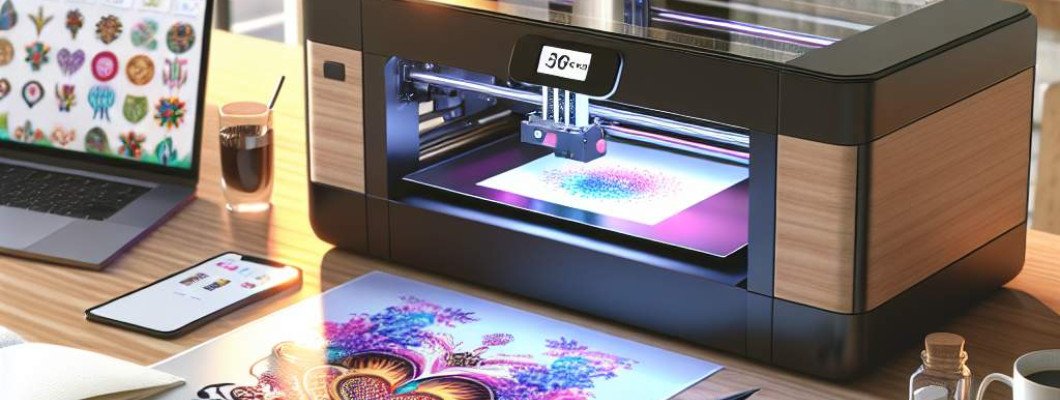
What First-Time Buyers Often Misunderstand About a UV Printer
Are you considering investing in a UV printer but feeling overwhelmed by the options and technical jargon? Have you wondered whether a UV printer can really meet your specific printing needs or if there are hidden pitfalls? Many first-time buyers dive into the market with misconceptions that can cost them time, money, and frustration. Understanding the core realities of UV printing technology is key to making a smart, informed decision.
It's not uncommon for new buyers to assume that all UV printers are the same or that simply purchasing the most advanced-looking model guarantees high-quality results. But in reality, UV printing involves complex features that can vary significantly between devices. Let's break down some of the most common misunderstandings first-time buyers have—and how to navigate around them.
Myth 1: All UV Printers Are Designed for Any Material
One of the biggest misconceptions is that UV printers can print flawlessly on all surfaces without additional adjustments. In reality, UV printers are optimized for specific materials—like plastics, glass, wood, or metal—but not all models can handle every substrate equally well.
- Material compatibility varies: Some UV printers excel at printing on flexible surfaces, others on rigid materials.
- Surface preparation matters: Dirty or uneven surfaces can cause poor adhesion or print quality.
- Adjustments and settings: Different materials require different curing intensities, print speeds, or special inks.
Failing to consider these factors can lead to wasted investments on printers that don"t meet your material needs. Before buying, identify what substrates you"ll work with most often and choose a UV printer specifically designed for those materials.
Myth 2: A Higher Price Means Better Quality
Many first-time buyers believe that investing in a more expensive UV printer guarantees top-tier results. While price can indicate features and build quality, it doesn"t always correlate directly with your specific needs.
- Feature mismatch: An expensive model may have advanced features you don"t need, increasing cost unnecessarily.
- Quality over hype: Some budget-friendly models offer excellent results for small or medium-sized tasks.
- Focus on your requirements: Consider factors like print resolution, speed, ink compatibility, and durability rather than price alone.
Discuss your project scope with vendors, and request demos to verify that the printer aligns with your goals without overspending on features that won"t give you real value.
Myth 3: UV Printers Are Foolproof and Require No Maintenance
Another common misconception is that once you purchase a UV printer, it needs minimal or no maintenance. This false belief can cause performance issues down the line.
- Routine cleaning: Regular cleaning of print heads and curing modules is essential for consistent quality.
- Software updates: Keeping firmware and software up-to-date ensures compatibility and bug fixes.
- Calibration and adjustments: Periodic calibration of the print bed and curing settings can prevent costly reprints.
Factoring in maintenance costs and activities helps in planning a smooth operation, avoiding unexpected downtime and ensuring your investment continues to pay off.
Myth 4: UV Printing Is Quick and Suitable for High-Volume Production
Many buyers expect UV printing to be as fast as traditional offset printing or high-volume digital presses. However, UV printing is often a slower process, especially when high resolution or complex designs are involved.
- Speed varies greatly: Factors like print size, layer thickness, and material impact throughput.
- Ideal for customized tasks: UV printing is excellent for short runs, prototypes, or personalized items rather than mass production.
- Batch efficiency: Planning for batch printing rather than one-off can optimize output rates.
Understanding these limitations enables you to set realistic expectations and plan your workflow accordingly.
Myth 5: UV Printer Will Handle All Your Printing Needs Instantly
Some buyers assume that once they get a UV printer, they"re set for any project. In fact, UV printing is a specialized process that requires understanding its capabilities and constraints.
- Color and resolution: UV printers may have limitations in color gamut or fine detail compared to other digital printers.
- Finishing and post-processing: Effective finishing may need additional equipment or steps.
- Inks and curing: Choice of inks and curing conditions can greatly affect durability and appearance.
Choosing the right UV printer involves assessing your specific project requirements and possibly investing in complementary equipment or processes.
How to Make an Informed First UV Printer Purchase
Here are practical tips to avoid misunderstandings and select a UV printer that truly meets your needs:
- Define your application scope: Know exactly what materials, sizes, and volumes you'll be working with.
- Set a realistic budget: Balance cost against necessary features—more expensive isn"t always better.
- Request demos and sample prints: Witness the machine"s capabilities firsthand before buying.
- Consult with experts or current users: Get insights from those who operate UV printers daily.
- Consider after-sales support and training: Ongoing service and education are critical for long-term success.
For example, chatting with a fellow craftsman revealed that choosing a smaller UV printer on a budget suited his venture just fine, and he appreciated the ease of maintenance and material options. His experience highlights that understanding your specific needs often matters more than the price tag or hype.
Explore the Right UV Printer for Your Business
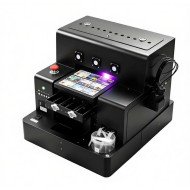
If you"re ready to upgrade or start fresh, check out [this high-quality UV printer](https://www.gnfei.com/products/spot-uv-printing-machine-glossy-uv-coating-printer.html). It"s designed to deliver precise, reliable results on various substrates—perfect for beginners and seasoned users alike.
Frequently Asked Questions (FAQs)
- Can a UV printer print on curved surfaces? Yes, but it depends on the model. Some UV printers are designed specifically for 3D or irregular surfaces, so check specifications before buying.
- What type of inks do UV printers use? UV printers typically use UV-curable inks that dry instantly under UV light. These inks are durable and suitable for many materials.
- How much maintenance does a UV printer require? Regular cleaning of print heads, curing modules, and software updates are essential. The frequency depends on usage volume and model.
- Is UV printing environmentally friendly? Compared to solvent-based inks, UV inks are often less volatile, but proper disposal and handling are still necessary for safety and environmental compliance.
- What"s the typical lifespan of a UV printer? With proper maintenance, a quality UV printer can last 5-10 years or more, making it a worthwhile investment if the technology matches your needs.
Thinking about your first UV printer? Remember, understanding your project requirements and the true capabilities of UV printing technology ensures you make a confident, informed choice and avoid costly misconceptions.











Leave a Comment