UV printer maintenance cost and daily troubleshooting
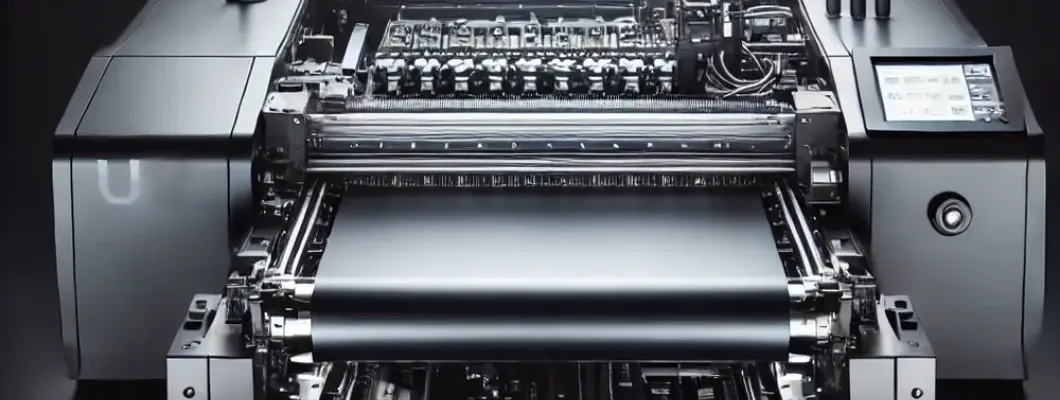
UV Printer Maintenance Cost and Daily Troubleshooting: A Comprehensive Guide
UV printers are a game-changer in the printing industry, offering exceptional versatility and superior print quality. However, to keep this innovative equipment performing at its peak, proper maintenance and quick troubleshooting are non-negotiable. In this guide, we’ll break down the UV printer maintenance cost, practical daily upkeep tips, and actionable troubleshooting techniques to address common issues. Whether you’re a seasoned professional or a business evaluating operational expenses, this guide will ensure your UV printer operates smoothly and efficiently.
Understanding UV Printer Maintenance Cost
One of the most frequent concerns for UV printer owners is the cost of upkeep. While UV printers are built for durability, they require a well-thought-out maintenance plan to avoid downtime and expensive repairs. Here's a breakdown of various maintenance-related costs:
1. Scheduled Maintenance Costs
Most manufacturers recommend following a scheduled maintenance routine. These include services such as:
- Printhead Cleaning: Printhead cleaning kits can range from $20 to $50 per kit. Regular printhead maintenance prevents clogging and ensures print precision.
- Ink System Replacements: Ink filters and dampers typically need replacing every 3-6 months, which can cost between $30 and $70 each.
- Periodic Software Upgrades: UV printers often require software updates for optimal performance, which may either be free or cost upwards of $100 depending on the brand.
2. Consumable Costs
Consumables like UV curable ink, cleaning solutions, and wipers are recurring expenses. Here's an estimate for average monthly costs:
- UV Curable Ink: Costs can range from $80 to $150 per liter, depending on the color and brand.
- Cleaning Solutions: A bottle of cleaning fluid (typically $20–$40) lasts about a month with daily use.
- Wiper Blades: Wiper blades need replacement every few months and cost around $10 to $25 each.
3. Unexpected Repairs
While daily maintenance significantly reduces the likelihood of faults, unforeseen issues like printhead replacements can arise. Printhead replacements, the most expensive repair, can cost anywhere from $500 to $3,000 based on the printer model.
Daily UV Printer Maintenance Checklist
To minimize downtime and reduce operational costs, a well-structured daily maintenance routine is essential. Below is a practical checklist:
1. Clean the Printhead
The printhead is the heart of any UV printer. Ink sediment or debris buildup can result in clogs, reducing print quality. Use manufacturer-recommended cleaning solutions to gently clean the printhead. Avoid harsh chemicals as they can cause damage.
2. Shake White Ink Cartridges
White UV ink tends to settle over time, resulting in inconsistent coverage. Shake the white ink cartridges daily to prevent sedimentation and ensure consistent prints.
3. Inspect Ink Levels
Every morning, check your ink levels to prevent interruptions mid-print. Running a printer on low ink can also damage the print system and affect output quality.
4. Clean Surrounding Areas
Dust and debris can damage internal components. Ensure the area around your UV printer is clean and free of contaminants. For optimal print performance, maintaining a controlled environment with moderate humidity levels (40–60%) is highly recommended.
5. Perform a Nozzle Check
A nozzle check helps identify clogs early. Most UV printers have built-in diagnostic tools or software for this task. Running a nozzle check daily minimizes costly mishaps and ensures precision printing.
UV Printer Troubleshooting: Solving Common Issues
Even with diligent maintenance, problems can occasionally occur. Below are some common UV printer issues and their quick fixes:
1. Inkjet Clogs or Poor Print Quality
Issue: Lines, streaks, or inconsistent color output can indicate clogged printheads.
Solution:
- Run an automatic cleaning cycle or manually clean using the appropriate cleaning fluid.
- Ensure the ink being used is compatible with your printer model to prevent residue buildup.
2. UV Lamp Not Curing Properly
Issue: Prints remain wet or tacky after the process.
Solution:
- Check the alignment and intensity of the UV lamp. Refer to the manual for calibration instructions.
- Ensure the lamp is not nearing its lifecycle limit (most UV lamps last 500–2,000 hours).
3. Color Banding
Issue: Uneven color bands appear across the print.
Solution:
- Conduct a nozzle check to identify misfiring nozzles and take corrective action.
- Inspect and clean the encoder strip for contamination.
4. Printer Fails to Start
Issue: The printer fails to power on or initialize.
Solution:
- Check all power connections and ensure cable integrity.
- Inspect the fuse on the printer and replace it if necessary.
Why Our UV Printing Systems Are the Best Choice
Our advanced UV printing machines are engineered for long-term efficiency and minimal maintenance expenses. Designed with easily accessible components, user-friendly software, and superior UV lamp technology, our printers ensure consistent performance with reduced costs. Business owners trust our machines for their unparalleled durability and ROI. Additionally, we provide extensive customer support and affordable spare parts to keep your operations worry-free.
By integrating proper maintenance routines and leveraging our state-of-the-art UV printers, businesses can maximize uptime, reduce costs, and stay ahead of the competition in a dynamic market.
Conclusion
Whether you’re grappling with ink clogs or wondering how much routine maintenance might cost, this guide equips you with the knowledge to maintain your UV printer effectively. Understanding the cost structures and troubleshooting potential problems will not only save money but also extend the life of your equipment. Take proactive measures today, and ensure your UV printer delivers exceptional results for years to come.