
UV Printer Capabilities That Matter Most in Real-World Customization
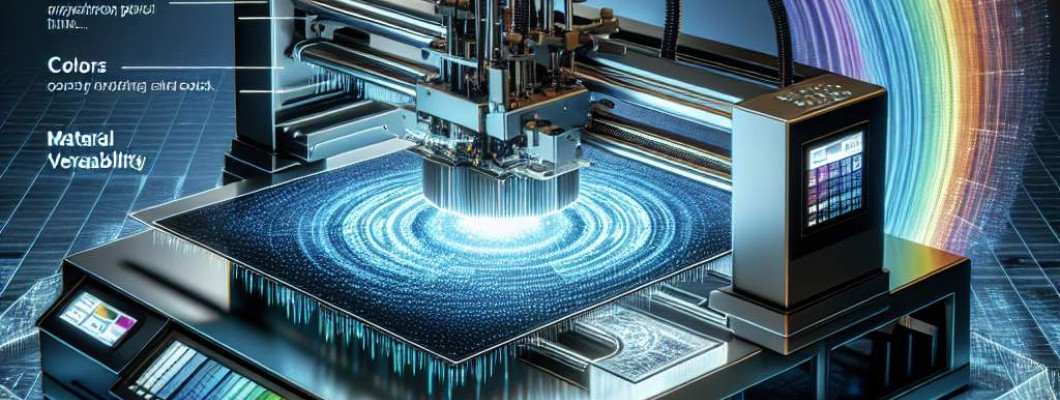
Are You Struggling to Get the Most Out of Your UV Printer?
Many professionals like you ask, "What are the key capabilities of UV printers that actually matter for real-world customization?" If you're aiming for high-quality, versatile prints that meet client demands, understanding the core features can make all the difference.
When I first looked at UV printers, I thought it was just about printing fast and sharp. But I quickly realized that not all UV printers are created equal. Some features dramatically impact your ability to produce vibrant, durable, and customized prints that wow clients.
Let's walk through the main capabilities that truly matter in practical terms. Knowing these will help you select the right UV printer and get the most out of it for your business or projects.
Understanding the Core Capabilities of UV Printers
1. Print Resolution and Quality
High resolution is essential for detailed, sharp images. When talking about UV printers, resolution is measured in dots per inch (dpi). The higher the dpi, the crisper the image.
For real-world customization, look for printers that offer at least 1440 dpi. This level balances speed and fine detail, especially important for printing logos, photographs, or intricate designs.
Remember, resolution alone isn't everything. The quality of the ink, the precision of the print head, and the overall calibration influence the final output.
2. Material Compatibility and Versatility
Another big factor is the printer"s ability to handle various materials. Customization often means printing on glass, plastics, wood, metal, or even textiles.
Some UV printers are limited to specific surfaces, which can be frustrating. The best models support a wide range of materials with different textures and thicknesses, giving you more creative freedom.
For example, if you want to produce a multi-material product, your UV printer should be capable of printing on curved or uneven surfaces without losing quality.
3. Color Gamut and Accuracy
When it comes to branding and detailed artwork, color fidelity matters. A good UV printer must offer a broad color spectrum to match Pantone shades or produce accurate photo-like images.
Check if the printer supports advanced color management features. This means you can custom-tune colors for consistency across multiple prints.
Some models now include white ink or varnish options, adding depth and special effects to your prints—great for creating unique, eye-catching pieces.
4. Speed and Productivity
In a busy production environment, efficiency counts. The printer"s speed impacts how many pieces you can produce within a given timeframe.
Look for models with high printing speeds without compromising quality. Features like multi-layer printing or multiple print heads can speed up workflows but beware of sacrificing detail.
It"s a balancing act: speed is essential, but so is accuracy. Prioritize printers that deliver fast results while maintaining top-tier quality for customization projects.
5. Durability and Finish Quality
Nothing beats a finished product that looks and feels premium. UV printers produce prints with cured ink that resists scratches, UV fading, and environmental factors.
Pay attention to the finishing options available—matte, gloss, or satin finishes can add a professional touch.
If you're printing items like signage or promotional products, durability ensures they last longer and look better over time.
Why These Capabilities Matter in the Real World
Imagine chatting with a friend who owns a custom merchandise shop. He switched from traditional printing methods to a UV printer because of its versatility and superior finish. His ability to print on various materials with high resolution boosted his offerings, and customers loved the durability and vibrant colors.
This story highlights how focusing on these core capabilities elevates your business, allowing you to create more complex, high-quality, and customized products that stand out in the market.
Interested in seeing how these features translate into real results? Check out the Spot UV Printing Machine—a perfect example of a device optimized for real-world customization needs.
Additional Features That Can Enhance Your UV Printing Experience
- Nano-coating and special coatings: Add protective layers or matte finishes for more professional products.
- Multi-layer printing capabilities: For 3D effects or textured surfaces.
- Automatic material feeding and registration: Speeds up workflows and improves alignment.
- Ease of maintenance and user interface: Keeps downtime minimal, letting you focus on projects.
While these aren"t the core capabilities, they significantly improve productivity and output quality, especially in high-volume or complex customization environments.
FAQs About UV Printer Capabilities
- How important is print resolution for customization? Higher resolution means sharper details, especially for logos and intricate designs. Aim for at least 1440 dpi.
- Can UV printers print on textured or uneven surfaces? Yes, advanced models support materials like wood, metal, and curved plastics. Look for printers with flexible ink heads and adjustable height.
- What"s the benefit of white ink or varnish options? They add depth, contrast, and protective finishes, making your prints more attractive and durable.
- Are faster printers always better? Not necessarily. Speed is vital, but it should not come at the expense of image quality. Find a balanced option.
- How do I choose a UV printer suitable for my business? Assess your material types, expected volume, desired quality, and budget. Prioritize flexible features like material compatibility and color accuracy.















Leave a Comment