
The Ultimate Guide to Choosing the Best T-Shirt Printer for Your Small Business
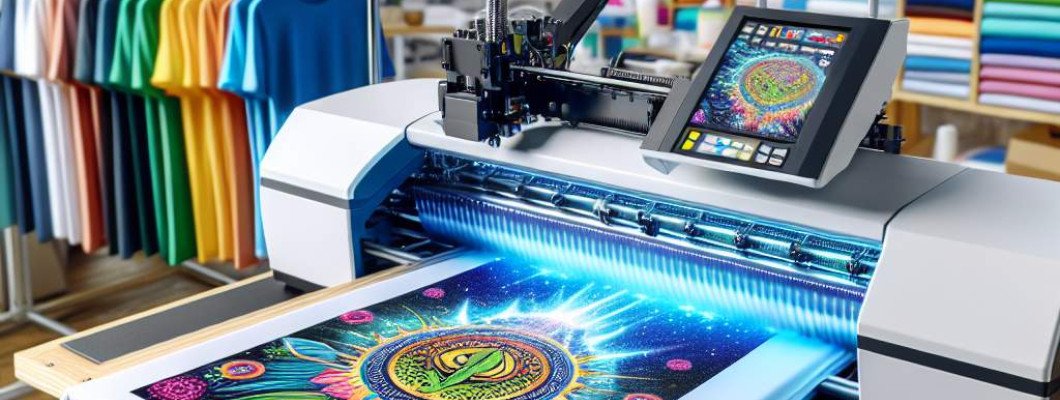
The Ultimate Guide to Choosing the Best T-Shirt Printer for Your Small Business
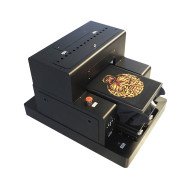
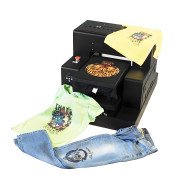
Choosing the right t-shirt printer for your small business can be a game-changing decision, impacting your production efficiency, print quality, and overall profitability. With the vast array of models available today, coupled with technical jargon that often accompanies them, it can feel overwhelming to pinpoint the right machine. This guide will break down the key factors to consider, focusing on hardware specifications, ink systems, software compatibility, and mechanical stability.
1. Understanding Printer Hardware: Print Heads and UV LED Curing
The print head is the heart of any t-shirt printer, directly influencing print resolution, speed, and durability. Popular models include Epson XP600, TX800, i3200, and L805. Each has specific strengths:
- Epson XP600: Known for affordability and reliable colour reproduction. Ideal for startups that need consistent output without breaking the bank.
- TX800: Offers higher precision and faster speeds, particularly useful for businesses scaling up production volume.
- i3200: A robust option for industrial-grade printing with excellent ink droplet control.
- L805: Commonly used for high-quality photo printing on garments, with a focus on detailed designs.
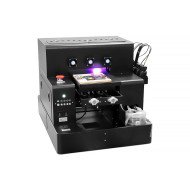
UV LED curing systems are also critical for DTG and UV printers. Look for machines with adjustable curing power, typically measured in milliwatts, to ensure proper ink adhesion and faster drying without compromising fabric integrity.
When comparing hardware, pay attention to durability and replacement parts. Certain print heads, like the TX800, have a longer lifespan but might require more frequent calibration. Knowing these trade-offs upfront ensures you choose a printer that aligns with your specific business needs and budget.
2. Ink Circulation Systems and Ink Types
Not all printers handle ink the same way, and understanding ink circulation systems can save you significant maintenance headaches. Closed-loop ink circulation systems prevent ink from settling and clogging, reducing downtime and prolonging the life of your print head. This feature is particularly useful for white ink, which tends to sediment more quickly.
Ink compatibility is another critical factor. DTG printers typically use water-based pigment inks, which are eco-friendly and deliver vibrant colours on cotton fabrics. UV printers, on the other hand, use UV-curable inks suitable for a wide range of materials, including synthetic blends. Consider your product range before making a decision:
| Ink Type | Material Compatibility | Advantages | Disadvantages |
|---|---|---|---|
| Water-based Pigment | Cotton, Bamboo | Eco-friendly, vibrant colours | Limited on synthetic fabrics |
| UV-Curable | Polyester, Nylon, Blends | Versatile material compatibility | Higher cost |
Additionally, consider ink suppliers and pricing, as this can significantly impact your long-term operating costs. Bulk ink systems can reduce per-print costs but might require higher initial investment. Evaluate the trade-offs carefully based on your projected volume.
3. Software Considerations: RIP Software for Precision Control
RIP (Raster Image Processor) software is the unsung hero of t-shirt printing. It manages colour layering, ink density, and print resolution, allowing you to fine-tune the output for optimal quality. Popular RIP software options include AcroRIP, Maintop, and Photoprint:
- AcroRIP: User-friendly and widely compatible with most DTG printers. It’s a go-to choice for small businesses due to its affordability and ease of use.
- Maintop: Offers advanced colour management settings, ideal for complex designs with gradients and intricate patterns.
- Photoprint: Known for its superior precision in high-resolution prints, making it a favourite among premium t-shirt brands.
When choosing a printer, confirm that the included software is compatible with your existing workflow and design tools (e.g., Adobe Photoshop or CorelDRAW). The right software can reduce errors, optimise ink usage, and ensure consistent results across different print batches.
Some printers bundle proprietary software, which may offer unique features but could limit flexibility. Assess whether these bundled solutions meet your needs or if third-party software would be a better fit.
4. Mechanical Stability: Build Quality and Precision Parts
Mechanical stability is often overlooked but plays a crucial role in the performance and lifespan of a t-shirt printer. Features like linear guide rails and ball screws improve movement precision, ensuring consistent print alignment and reducing wear and tear over time.
High-quality machines often include reinforced frames and vibration-dampening technology, which can handle higher production volumes without compromising print quality. Always ask about the build materials—steel frames tend to outlast aluminium ones, particularly in demanding environments.
Focus on ease of maintenance. Modular designs allow quicker part replacements, reducing downtime. A printer equipped with an auto-cleaning function for nozzles and ink pathways can also save significant time and labour costs.
Finally, ensure your supplier offers robust customer support and readily available spare parts. A well-supported machine can avoid costly delays and keep your business running smoothly.
Actionable Recommendation
When selecting a t-shirt printer for your small business, balance upfront costs with operational efficiency. Speak with your supplier about sample prints, warranty terms, and training resources to maximise your investment. If you need a personalised consultation, contact GNFEI’s technical support team for expert advice tailored to your production goals.



Leave a Comment