The Dark Garment Secret: Mastering Pretreatment and White Ink in DTG Printing
The Dark Garment Secret: Mastering Pretreatment and White Ink in DTG Printing
Direct-to-Garment (DTG) printing on white 100% cotton shirts is straightforward: load, print, then heat press, producing vibrant, breathable graphics in under two minutes. However, when switching to dark fabrics—such as black, navy, or deep crimson—the process becomes notably complex, distinguishing novice printers from seasoned professionals.
Unlike the translucent CMYK inks that perform flawlessly on light garments, these inks vanish on dark textiles unless anchored by a solid, opaque white underbase. This layering requires precision: a thick white base must be printed first and then immediately overlaid with CMYK colors while still wet, ensuring vivid, sharp outputs. Mastering the "White Ink + CMYK" workflow is the pinnacle hurdle for new DTG operators, with pitfalls including dull prints, cracking, and chemical staining.
Chapter 1: The Chemistry of Pretreatment (The Primer)
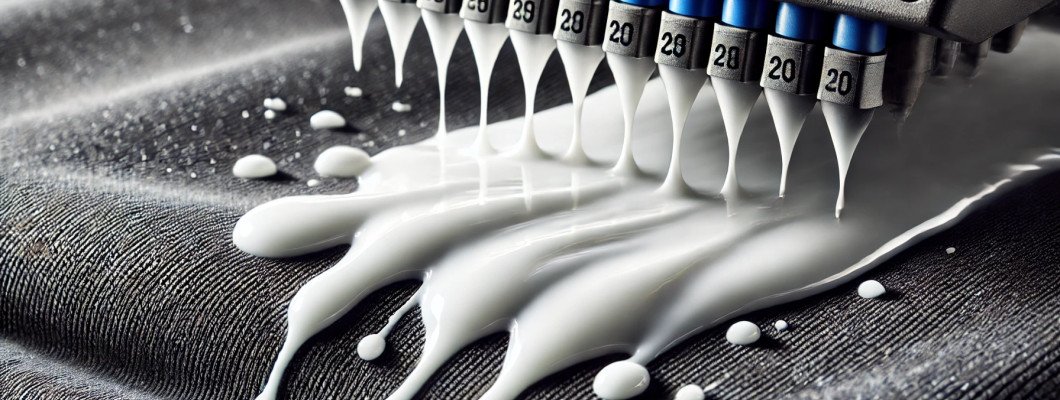
Printing white ink directly on untreated dark cotton causes the pigment to absorb too deeply, resulting in a grayish, faded look instead of bright white. The solution is pretreatment: a specialized salt-based, mildly acidic polymer that acts as a primer, changing fabric surface chemistry to prevent ink bleed.
Upon contact with pretreated fibers, white ink "flashes" or gels instantly rather than soaking in, forming a smooth, vibrant white base. However, the amount of pretreatment solution applied is critical:
- Under-application: Insufficient pretreatment allows white ink penetration, causing muted, uneven prints that degrade quickly.
- Over-application: Excessive pretreatment forms a hard, brittle layer that white ink cannot bind to, resulting in stiff prints prone to cracking, peeling, and leaving unsightly yellow-gray stains around the design.
Chapter 2: Perfecting the Pretreatment Workflow
Consistency is essential for effective pretreatment application. While manual sprays like Wagner sprayers or pump bottles are common for beginners, these methods often lack precision. For scalable, high-quality results, investing in an automated pretreatment machine is highly recommended.
1. Selecting the Right Blank
DTG printing demands smooth, tightly woven fabrics. Avoid "carded open-end" cottons due to their fuzzy surface and stray fibers that disrupt the ink layer. Instead, choose 100% Ring-Spun or combed cotton blanks for sharp, vibrant prints.
2. The Pressing Protocol
Remove moisture and flatten fiber nap before pretreating by heat pressing the blank shirt at approximately 330°F (165°C) with firm pressure for 5 seconds. This sets a dry, flat foundation.
3. Applying the Fluid
Feed the garment into an automatic pretreatment machine. Dosage varies by fabric weight and color; typically, 18–22 grams of pretreatment fluid suit a medium-weight 14x16 inch black cotton tee. Heavier garments may require 28–35 grams.
4. The Curing Process
Dry the wet pretreatment thoroughly with heat and pressure before printing:
- Place the treated shirt back on the heat press.
- Cover the print area with parchment or Teflon sheet to protect fabric.
- Apply heavy pressure at 330°F (165°C) for 30–45 seconds.
- Check dryness; add 10 seconds if still damp.
Pro Tip: Never allow pretreatment to air dry as crystallization ruins ink adhesion; heat and pressure are mandatory.
Chapter 3: The Physics and Maintenance of White Ink
White ink’s opacity comes from titanium dioxide (TiO2) pigments, which are heavy and prone to sedimentation. Left stagnant, TiO2 settles, forming sludge that clogs micro-piezo printhead nozzles.
Consequences of nozzle clogging include horizontal banding (white stripes missing), waning opacity, and costly hardware failure. Therefore, controlling ink agitation is paramount:
- Environment: Maintain room temperature between 65°F and 80°F (18°C–26°C) and humidity between 45% and 60% to prevent premature drying or settling.
- Daily Care: Keep the printer powered to run micro-cleaning cycles; manually swirl or shake white ink cartridges every morning.
- Automated Circulation: Use commercial machines with White Ink Management Systems (WIMS)—motorized pumps that continuously circulate white ink to prevent sedimentation.
Chapter 4: RIP Software Secrets (Underbase and Choke)
Even with impeccable hardware and pretreatment, poor RIP (Raster Image Processor) settings can ruin prints. The RIP translates digital files into precise ink droplet placement.
Mastering the "Choke" Setting
Printing white underbase slightly larger than colors risks visible white halos. The "Choke" (or Spread/Shrink) reduces the white underbase footprint by 1–3 pixels, ensuring the overlaid CMYK completely covers edges for a clean finish.
Underbase Density vs. Highlight White
There are two white ink layers controlled by the RIP:
- Underbase White: The foundational opaque layer beneath colors. A density of 60%–80% balances opacity and print flexibility; 100% wastes ink and causes cracking.
- Highlight White: Areas where white is visually prominent (e.g., text, highlights). Always set to 100% density for maximum vibrance.
Chapter 5: Dark Garment Troubleshooting Matrix
| Visual Symptom | Probable Cause (The Why) | Immediate Corrective Action |
|---|---|---|
| Mottling (Uneven, spotty white ink resembling a sponge) | Insufficient pretreatment or incomplete drying before print. | Increase pretreatment grams; ensure full 30-45 second heat press curing under heavy pressure. |
| Severe Cracking or Peeling Post First Wash | Over-application of pretreatment or insufficient post-print heat pressing. | Reduce pretreatment by 20%; apply 90-120 seconds heat press at 330°F with hover then light pressure. |
| Yellow/Grey "Stain Box" Surrounding Graphic | Scorching from excessive heat or fabric reaction to pretreatment chemicals. | Lower heat press temperature to 320°F; dilute pretreatment fluid 10-20% with distilled water if persistent. |
| White Halo Visible at Graphic Edges | Zero choke setting in RIP, or printhead calibration off. | Increase underbase choke by 2 pixels; perform printhead alignment calibration. |
| Horizontal Banding Across White Base | Clogged white ink nozzles due to sedimentation, low humidity, or empty dampers. | Run printhead cleaning; check humidity >45%; ensure ink bottles are full. |
Chapter 6: Your Ultimate Defense is Commercial Hardware
Expertise in pretreatment and software aside, inferior hardware will curtail your dark garment printing success. Consumer-grade or modified desktop DTG printers cannot effectively handle white ink’s demanding fluid dynamics, resulting in frequent nozzle clogs, ruined garments, and costly downtime.
Professional-grade equipment is essential—featuring automated white ink circulation (WIMS), precision micro-piezo printheads, and seamless RIP software integration with micrometric control of underbase choke levels.
For those seeking industrial reliability and scalability, the GNFEI A3 DTG Printer embodies the pinnacle of commercial DTG engineering. It tackles the toughest challenges of white underbasing and dark garment printing, positioning your brand for flawless, high-margin growth in 2026 and beyond.