
T-SHIRT PRINTER Strategies for Handling High-Mix, Low-Volume Orders
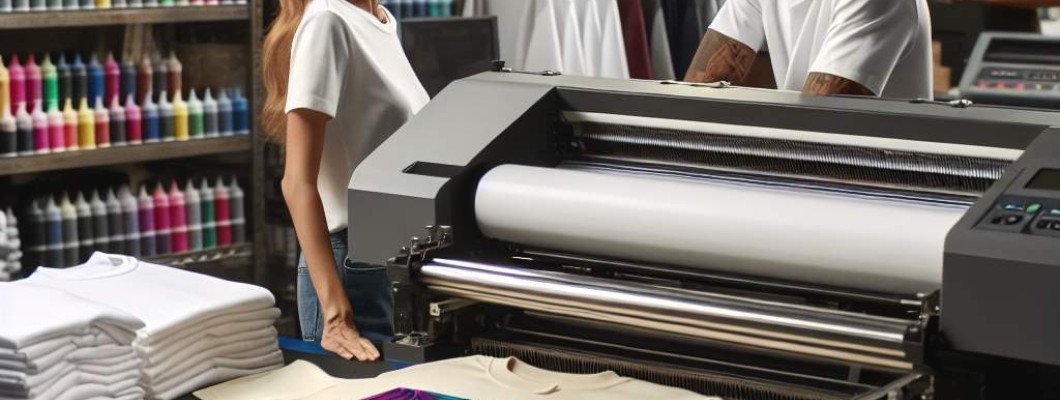
Struggling to handle high-mix, low-volume T-shirt orders? You"re not alone.
If you've been in the T-shirt printing business, you know the drill. Customers are demanding more customization, often placing small batches with lots of different designs. Managing this can feel overwhelming, especially if your workflow is tailored for large runs. The key is finding strategies that streamline your process without sacrificing quality or profit. Let"s explore effective ways to handle high-mix, low-volume orders confidently.
Understanding the challenge of high-mix, low-volume orders
High-mix, low-volume orders are about versatility. You might be printing ten different designs for ten different clients in a single day. Unlike bulk orders, these require more setup, more attention to detail, and quicker turnarounds. If you're still using traditional screen printing setups designed for large batches, you"ll struggle to keep up. Instead, embracing specific strategies can turn this challenge into an advantage.
Invest in the right equipment
Why digital printing is a game-changer
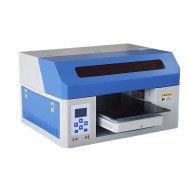
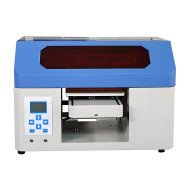
For handling high-mix, low-volume orders, digital printers are a must-have. They allow you to switch designs quickly without the hassle of screens or drying times associated with traditional methods. The A3 DTG Printer is a prime example —compact, efficient, and perfect for small batches with many different designs. It"s like having a custom print on demand machine that adapts to your needs.
Benefits of digital over traditional printing
- Speed: No need to create new screens or setups for each design.
- Flexibility: Print a single shirt or a few without waste.
- Cost-effective: Less upfront investment in screens and long setup times.
- Quality: Brighter colors and sharper details compared to some other methods.
Switching to digital printing can boost your capacity and reduce turnaround times, crucial when juggling many small orders.
Optimizing your workflow
Prioritize efficiency at every step
Since every order is different, your workflow needs to be agile. Here"s how to make that happen:
- Organize your workspace: Keep supplies, inks, and shirts sorted. This reduces delays.
- Pre-prepare color palettes: Assign colors for common design themes to speed up printing.
- Batch similar orders: Group designs with similar color schemes or artwork to streamline ink changes.
- Automate where possible: Use software to manage orders and schedules. Many digital printers come with integrated or compatible management tools.
For example, I chatted with a local printer who switched to digital and reorganized his workflow. He reported time savings of 30-40%, allowing him to handle more orders daily with fewer mistakes. The key was consistency and planning.
Design flexibility and print quality
Ensure your designs are optimized for printing
High-mix, low-volume orders mean you"ll be working with many different designs. Here"s how to make sure your print quality stays high:
- Use vector files when possible: They provide sharp, scalable images.
- Keep artwork resolution high: Avoid pixelation, especially with detailed designs.
- Color management: Calibrate your monitor and printer regularly to match colors accurately.
- Test print samples: Always do small test prints to verify colors and placement before full production.
Some of my clients have told me that investing in a good design review process drastically lowered reprints and customer complaints. Quality control is key when printing many custom jobs fast.
Pricing strategies for high-mix, low-volume orders
Pricing can be tricky when each order demands different work, but consistent pricing models help stabilize profits:
- Set minimum order quantities: To cover setup costs, even for small runs.
- Charge per design or color: Instead of just per shirt, especially if designs vary significantly.
- Include setup fees for very small orders: Ensures your time is valued appropriately.
- Offer package deals: For repeat clients with frequent custom orders.
One client I worked with added a $10 artwork fee for each new design, which helped keep his margins healthy even when handling tiny batches.
Quality control and customer satisfaction
High-mix orders can lead to mistakes, so implementing quality checks is essential. Use checklists for each stage — from artwork approval to final inspection. Quick feedback loops with clients also help manage expectations and catch errors early.
Remember, excellent communication can make a difference. If a customer wants a tiny change, handling it smoothly earns trust and repeat business.
Embracing technology for better results
Beyond your printer, software tools can help manage designs, orders, and workflows. Digital asset management systems save time searching for files, while order management platforms streamline production schedules.
Another tip is integrating online ordering portals so clients can upload their designs directly. This reduces errors and speeds up the process.
If you"re serious about scaling with high-mix, low-volume orders, investing in the right tech like a reliable digital printer and management software makes a real difference.
FAQs
- What"s the best printer for small batch, high-mix orders?
Digital printers like the A3 DTG Printer are excellent because of their speed, flexibility, and print quality. - How do I price high-mix, low-volume jobs?
Consider adding artwork and setup fees, or charge per design. Always account for your time and costs. - Can I handle customization without sacrificing profit?
Yes, by optimizing workflows, investing in the right equipment, and managing your costs carefully. - How do I ensure consistent quality across many different designs?
Use proper color management, run test prints, and perform quality checks at each step. - What software tools can improve my workflow?
Order management platforms, design software with color calibration, and digital asset management systems are key tools.















Leave a Comment