
Printhead Lifesaver: The Daily DTG Maintenance Routine That Prevents Expensive Clogs
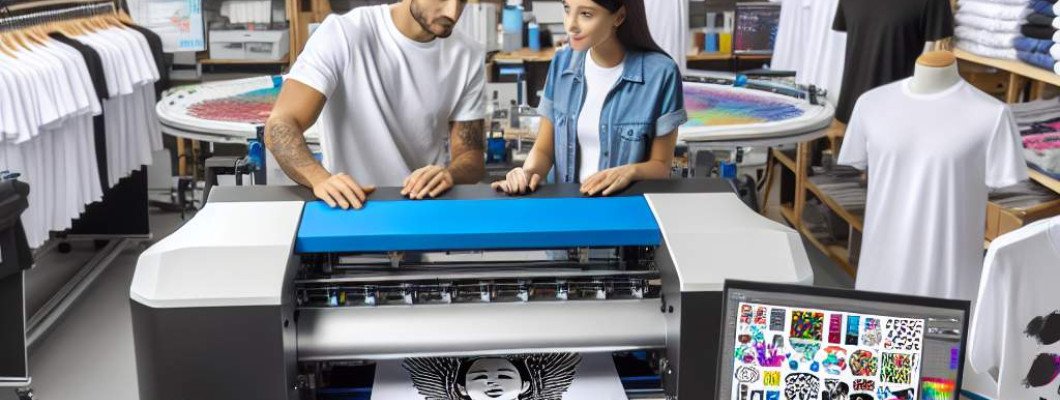
Struggling to keep your DTG printheads clog-free? You're not alone.
If you've been printing with direct-to-garment (DTG) printers, you know how quickly printhead clogs can turn your smooth days into frustrating troubleshooting sessions. I"ve been there myself—an unexpected clog shutting down production, costing time and money. That"s why I want to share an essential secret: a simple daily maintenance routine that acts as a lifeline for your printheads.
Why printhead maintenance matters—beyond just avoiding clogs
Even if your printer is working perfectly today, neglecting its daily care can lead to costly repairs down the line. Printhead clogs aren"t just annoying—they can damage the nozzle tips, reduce print quality, and even force you to replace costly components. The good news? With a straightforward routine, you can prevent most problems before they start.
The daily DTG maintenance routine that prevents expensive clogs
1. Keep your printhead clean before and after each shift
Wiping your printhead is the first step to proactive care. Use a lint-free cloth or paper towel soaked in a dedicated cleaning solution designed for DTG printers. Gently wipe the printhead surface, removing residual ink and dust. This prevents ink buildup, which is a common cause of clogs. Remember, a clean printhead equals consistent print quality.
2. Run a diagnostic nozzle check daily
Most DTG printers have a built-in nozzle check feature. Do this at the start and end of your workday. A clear nozzle pattern indicates healthy ink flow. If you notice gaps or misaligned dots, it"s time to perform a quick cleaning cycle—preferably using the printer"s maintenance functions or manual cleaning steps.
3. Use the right cleaning solutions regularly
Not all inks or cleaners are compatible. Stick to manufacturer-recommended cleaning solutions. These are formulated to dissolve dried ink and debris without harming the printhead. Applying the right cleaner once a week can significantly extend your printhead"s life and reduce downtime caused by clogged nozzles.
4. Maintain optimal ink levels and quality
Low or old ink can dry out faster and clog your printhead. Always keep ink levels within recommended ranges and discard old ink according to manufacturer guidelines. Using high-quality ink reduces the risk of dried residues that are hard to remove.
5. Keep the environment clean and dust-free
Dust, lint, and dried ink particles in your workspace can settle on the printhead, accelerating clog formation. Maintain a clean environment by regularly dusting your printer area and covering the machine when not in use. Better environment control results in fewer maintenance issues over time.
Making maintenance part of your daily workflow
It"s tempting to skip routine cleaning when you're busy, but I"ve found that dedicating just 5-10 minutes daily saves hours of troubleshooting later. Think of it as brushing your teeth—quick, simple, and essential for long-term health. Place reminders or checklists nearby to keep yourself accountable.
Real benefits I"ve seen from consistent daily care
Since adopting this routine, my printheads stay cleaner longer, and I"ve experienced fewer unexpected breakdowns. My prints consistently come out sharp and vibrant. Plus, I save money on repairs and ink waste. It"s a small investment of time that yields big results.
Need a dependable printer? Check out this high-quality DTG printer that makes maintenance easier and delivers professional results.
Frequently asked questions about DTG printhead care
Q1: How often should I perform a deep printhead cleaning?
Generally, every 2-4 weeks, depending on usage and ink type. Regular daily maintenance keeps this interval manageable.
Q2: Can I use household cleaners to clean the printhead?
No, it"s best to stick with dedicated DTG printer cleaning solutions. Household cleaners may damage the delicate nozzles.
Q3: What are signs that my printhead needs professional servicing?
If cleaning doesn"t resolve streaks, missing nozzles, or persistent clogging, it"s time for expert servicing to avoid further damage.
Q4: Is it okay to leave ink in the printer overnight?
It"s best to fill the ink only when needed. Leaving ink in the system for long periods can dry and cause clogs. Always follow your manufacturer"s storage recommendations.
Q5: How does environmental humidity affect printhead clogging?
Very dry or very humid environments can increase the risk of ink drying out or accumulating moisture that causes clogs. Maintain a consistent, controlled environment if possible.
Taking just a few minutes daily for routine DTG printhead maintenance is the smart way to keep your printer running smoothly. Preventing clogs doesn"t have to be complicated—just consistent. Your future self, and your wallet, will thank you.



















Leave a Comment