
How to Start a Small Business with a UV Printer: A Step-by-Step Guide

How to Start a Small Business with a UV Printer: A Step-by-Step Guide
Starting a custom printing business has never been more accessible, thanks to UV printing technology. Whether you're looking to personalise phone cases, create signage, or produce promotional products, UV printers offer unmatched versatility. But diving into this industry requires proper planning, technical understanding, and the right equipment. This guide will walk you through each critical step to set up your small business with a UV printer, ensuring you're ready to compete in today’s market.
Step 1: Understand UV Printing Technology
Before purchasing a UV printer, it’s essential to understand how the technology works. UV printers use ultraviolet light to cure or harden specially formulated inks. This process allows you to print directly onto various surfaces, including plastic, glass, metal, wood, leather, and even cylindrical objects. Unlike traditional printers, UV printing doesn’t rely on heat, which means you can print on heat-sensitive materials without any distortion.
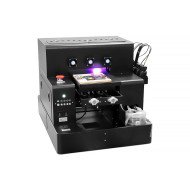
Key components of a UV printer include the print head (e.g., Epson XP600 for budget setups, TX800 for higher precision, or industrial-grade i3200 for speed and durability), UV LED curing system (measured in watts, typically ranging from 60W-200W), and the ink circulation system to prevent clogging. These components work together to ensure high-quality, durable prints. Furthermore, the choice of RIP software like AcroRIP or Maintop is crucial for optimising colour management and layer printing, such as white underprint or varnish layers.
Be sure to consider the printer’s mechanical build quality. Machines equipped with linear guide rails and ball screws offer smoother and more precise movement compared to belt-driven systems, resulting in consistent print accuracy over time.
Understanding these fundamentals will help you choose the right printer for your needs and avoid common pitfalls.
Step 2: Choose the Right UV Printer for Your Business
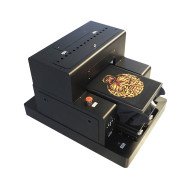
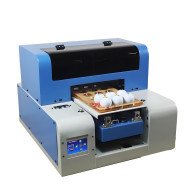
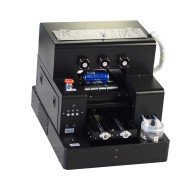
Your choice of printer will largely depend on the types of products you plan to offer. For instance, smaller tabletop models equipped with Epson L805 or XP600 print heads are ideal for startups focusing on lighter workloads and smaller items like phone cases or promotional gifts. On the other hand, businesses aiming for high-volume production or larger objects should consider machines with industrial-grade i3200 print heads and stronger UV LED curing systems.
Here’s a quick comparison of popular print head models:
| Print Head Model | Key Features | Recommended Usage |
|---|---|---|
| Epson XP600 | Affordable, high resolution, slower speed | Small businesses, entry-level usage |
| Epson TX800 | Better precision, moderate speed | Mid-tier businesses, diverse substrate printing |
| Epson i3200 | Industrial-grade, high-speed, durable | High-volume production, large-scale operations |
Additionally, consider whether you need features like rotary attachments for cylindrical objects or multi-layer printing for 3D texture effects. These add-ons can expand your business capabilities but may increase your initial investment.
Step 3: Set Up Your Workspace and Equipment
Once you've selected a UV printer, the next step is setting up your workspace. UV printers emit light during operation, so it’s vital to maintain a well-ventilated area to manage any residual odours or fumes. Many printers come with built-in air filtration systems, but installing an additional exhaust system can enhance safety and comfort.
Ensure your workspace has a stable and level surface to place the printer. Machines with linear guide rails and heavy-duty frames require a sturdy setup to avoid vibrations during operation. Furthermore, always handle UV inks with care. Use gloves and store the inks in a dry, cool environment away from direct sunlight to maintain their quality.
Another critical factor is the integration of your printer with the chosen RIP software. AcroRIP, for example, offers advanced features for managing colour profiles and layering white ink for transparent or dark substrates. Proper calibration of the software and print head alignment is essential. Keep test prints handy to ensure consistent output quality when starting new projects.
Step 4: Market Your Products and Scale Your Business
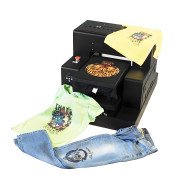
With your UV printer operational, it’s time to build your customer base. Start by creating a portfolio of sample products that showcase the capabilities of your printer. Use high-quality images and videos to demonstrate unique features like 3D embossing, vibrant colour reproduction, or direct-to-object printing. Platforms like Instagram and Facebook are excellent for sharing your work and attracting potential clients. Additionally, consider offering customisation options to cater to niche markets such as corporate branding or personalised gifts.
Don’t overlook the importance of pricing your products competitively. Calculate the cost per print, including ink consumption, substrate costs, and other operational expenses. A typical UV printer consumes around 3-5ml of ink per A4-sized print, but this can vary depending on the design and material. Use this data to set your prices while ensuring profitability.
As your business grows, you may want to reinvest in your operations. Upgrading to faster print heads like the i3200 or adding automated material handling systems can significantly boost productivity. Also, maintaining your equipment is critical—regularly clean the print heads, check the ink circulation system, and update your RIP software to avoid downtime and ensure long-term performance.
Final Thoughts
Starting a small business with a UV printer is an excellent opportunity to tap into the custom printing market, which continues to grow year after year. By understanding the technology, choosing the right equipment, and optimising your workflow, you can set yourself up for success. Keep in mind that customer support and guidance from your equipment supplier are crucial. At GNFEI, we’re here to help you every step of the way, from selecting the ideal UV printer to providing technical support after your purchase. Contact us today to explore our range of UV printing solutions or speak with an expert about your business needs.


Leave a Comment