
How Designers and Operators Work Smarter Around a DTG Printer
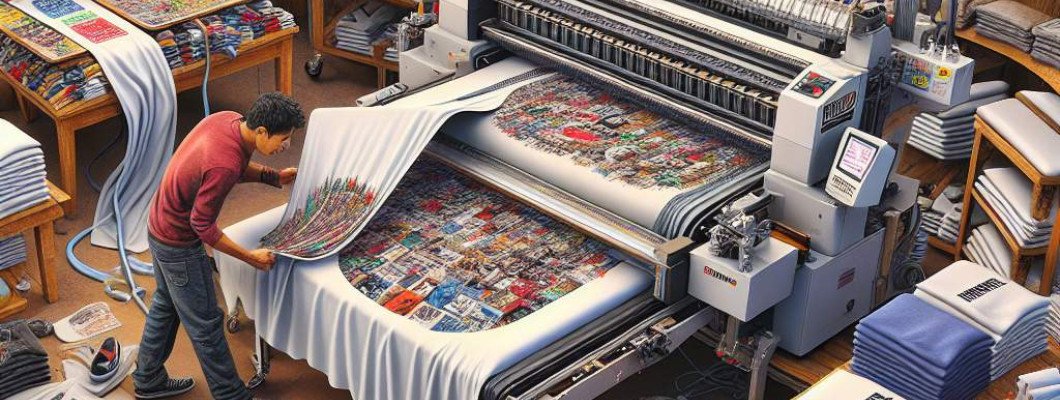
Are You Struggling to Maximize Your DTG Printer"s Potential?
If you've ever felt that your digital direct-to-garment (DTG) printing process isn"t as streamlined or efficient as it could be, you're not alone. Many designers and operators find themselves caught in a cycle of waste, reprints, and missed deadlines. The question is: How can you work smarter, not harder, around your DTG printer?
Imagine chatting with a friend who"s been in the business for years. They tell you that optimizing workflow, investing in the right tools, and understanding your printer"s capabilities can significantly boost productivity and quality. This isn"t magic — it"s about applying proven strategies that make your daily operations smoother.
Understanding Your DTG Printer: The First Step to Smarter Operations
Before diving into tips, it"s vital to understand the core of what makes a DTG printer tick. These machines are complex but incredibly precise tools designed for quick, high-quality garment printing. The key to working smarter is to leverage their full potential.
For example, many operators overlook settings that can be optimized for different fabric types. Fine-tuning your printer's parameters—like color management, ink flow, and curing times—can reduce waste, improve color accuracy, and increase throughput.
Effective Design Preparation: Setting the Stage for Success
Streamlining your design process is essential. Here"s how to make your design preparation more efficient:
- Use Vector Graphics When Possible: Vector files are scalable and require less adjustment during printing, reducing setup time.
- Optimize Your Artwork for DTG: Flatten layers and remove unnecessary details that can slow down printing or cause misalignments.
- Automate Repetitive Tasks: Use design software with batch processing features to prepare multiple designs at once.
- Maintain a Digital Asset Library: Organize your artwork so you can easily access and update files, saving time on file searching.
This prepared environment ensures that your operator spends less time troubleshooting and more time producing top-quality prints.
Operational Efficiency: Making the Most of Your Hardware
Once your designs are ready, focus shifts to the printing process itself. To work smarter around a DTG printer, consider these operational tips:
- Regular Maintenance: Keep your printer in peak condition. Clean heads, check ink levels, and calibrate regularly to avoid costly downtimes.
- Batch Printing: Plan your workflow to print multiple garments in batches. This minimizes setup time and maximizes machine utilization.
- Use Quality Inks and Substrates: They reduce issues like bleeding, fading, or misalignment—saving reprints.
- Implement a Color Management System: Consistency in colors across different jobs reduces waste and improves customer satisfaction.
For instance, a local print shop started batching their orders and found they could double their daily output without increasing machine hours. They also invested in a maintenance schedule that cut head clogging incidents by 40%. These small investments paid off in big workflow gains.
Staff Training: Empowering Your Team to Work Smarter
Even the best equipment can fall short without skilled operators. Regular training ensures your team understands how to maximize the capabilities of your DTG printer. Focus on:
- Proper Handling and Maintenance: Reduces machine downtime and prolongs equipment life.
- Design Preparation Techniques: Ensures print files are optimized for quality and efficiency.
- Quick Troubleshooting: Identifying common issues like color inconsistencies or print head blockages can prevent delays.
- Workflow Optimization: Teaching staff how to sequence jobs for maximum productivity.
A well-trained team minimizes errors and accelerates order fulfillment—crucial for customer satisfaction and business growth.
Leveraging Technology and Software for Smarter Workflow
Automation and advanced software can dramatically improve your work efficiency. Consider integrating:
- Pre-press Automation: Uses software to prepare files, check for errors, and pre-set print parameters.
- Color Management Tools: Ensure color consistency across batches, reducing reprints.
- Workflow Management Systems: Track jobs from submission to delivery, eliminating miscommunication and delays.
Some professionals swear by dedicated RIP (Raster Image Processor) software which optimizes print data for maximum speed and quality. If optimizing your workflow sounds promising, check out options like [G&Nfei DTG Printer Software], known for its ease of use and integration capabilities.
Customer Communication: Setting Expectations and Building Trust
Working smarter isn"t just about technical fixes; managing client expectations can also improve workflow. Clear communication about turnaround times, color accuracy, and quality helps prevent rework and dissatisfaction.
Implement a simple system for updates and approvals. For example, sending digital proofs before printing reduces errors and speeds up approval processes. This proactive approach reduces unnecessary delays, saving both time and resources.
Real User FAQs About Working Smarter with a DTG Printer
1. How can I reduce setup time for each print job?
Batch prepare designs, use saved print presets, and automate pre-press tasks with compatible software to significantly cut setup times.
2. What maintenance routines are most effective for preventing delays?
Regular head cleaning, updating firmware, and calibration are key. Create a maintenance schedule and stick to it for consistent performance.
3. How do I improve color consistency across multiple prints?
Implement a robust color management system, calibrate your printer regularly, and use standard color profiles for your garments and inks.
4. Are there any affordable tools to help automate workflow?
Yes, numerous RIP software and design automation tools are available that can streamline tasks without a hefty investment.
5. How can training improve my team"s productivity?
Training ensures operators are familiar with best practices, reducing errors and downtime, making your entire process more efficient.
Working smarter around your DTG printer means understanding your equipment, optimizing your workflows, and empowering your team. This approach turns your investment into a consistent source of high-quality output and happier customers. If you're looking to upgrade or enhance your setup, consider exploring advanced features and tools at G&Nfei DTG Printer for a smarter, more productive operation.



















Leave a Comment