
How a Card Printer Improves Efficiency in Membership and Loyalty Programs
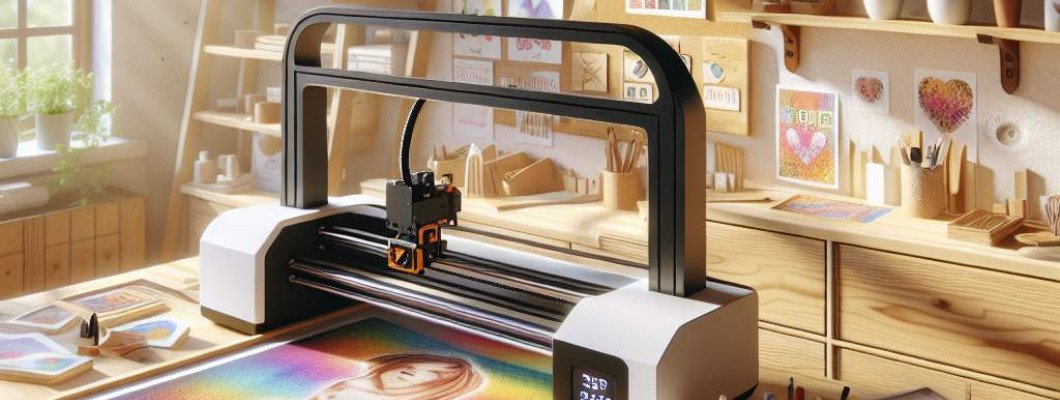
Struggling to enhance the efficiency of your membership and loyalty programs? You're not alone. Many businesses find it challenging to manage and personalize loyalty initiatives without wasting time or resources. One game-changing solution is investing in a high-quality card printer. But how exactly does a card printer improve workflow and customer engagement? Let"s dive into the details to see how this technology can transform your loyalty strategies.
Understanding the Role of a Card Printer in Modern Loyalty Programs
In today"s competitive market, personalized customer experiences are more important than ever. A card printer allows businesses to create customized, durable membership and loyalty cards quickly and efficiently. These cards act as tangible tokens of appreciation that encourage repeat business and enhance brand loyalty.
Imagine chatting with a friend who owns a local gym. They told you that switching to a dedicated card printer reduced their card production time from days to minutes, helping them serve more customers seamlessly. This example illustrates how such a device not only saves time but also boosts professionalism and customer satisfaction.
Key Benefits of Integrating Card Printing Technology
- Speed and Efficiency: Rapidly produce personalized loyalty cards on-site or in bulk, streamlining registration and renewal processes.
- Cost-Effective: Reduce expenses associated with outsourced printing or third-party vendors, often saving hundreds monthly.
- Customization Flexibility: Print full-color images, QR codes, barcodes, and personalized data directly onto cards for targeted marketing and user identification.
- Enhanced Security: Incorporate holograms, UV features, or magnetic stripes to prevent fraud and improve brand protection.
- Improved Customer Experience: Provide instant card issuance, increasing customer satisfaction and engagement by giving immediate rewards or membership access.
How to Select the Right Card Printer for Your Business
Choosing a card printer involves understanding your specific needs and scaling capabilities. Here are several factors to consider:
- Print Quality: Ensure the printer can produce high-resolution, vibrant images crucial for branding and security features.
- Print Speed: Opt for a model that aligns with your volume requirements – whether it"s hundreds or thousands of cards monthly.
- Connectivity Options: Look for USB, Ethernet, or Wi-Fi connectivity for flexibility and ease of integration with existing systems.
- Compatibility with Card Types: Confirm the printer supports various card materials, sizes, and encoding options for magnetic stripes or chips.
- DURABILITY: Invest in durable printers with reliable maintenance, reducing downtime and repair costs.
Implementing a Card Printer: Best Practices for Success
Once you've selected the right equipment, proper implementation ensures maximum ROI. Here are key steps to consider:
- Staff Training: Educate your team on how to operate and troubleshoot the printer effectively.
- Design Templates: Create easy-to-update templates for different campaigns or member categories to streamline card production.
- Quality Control: Regularly inspect printed cards for defects, ensuring all security features are correctly applied.
- Integration: Link the card printer with your CRM or point-of-sale systems for automatic data retrieval and personalization.
- Security Measures: Safeguard sensitive data during printing and storage to comply with privacy laws and protect customer information.
Expanding Your Loyalty Program with Advanced Card Printing Features
Modern card printers offer features that can further enrich your loyalty efforts:
- UV Coating: Adds a glossy, protective layer to enhance card durability and visual appeal. For example, a coffee shop might use UV coating to make their loyalty cards last longer and look premium.
- Spot UV Printing: Highlight specific areas like logos or QR codes, making them pop for better branding or security.
- Magnetic & Chip Encoding: Secure and store customer data directly on the card, facilitating faster check-ins and transactions.
- Custom Artwork & Branding: Incorporate unique designs that reflect your identity, making each card a branding tool.
Maximize Your Investment: Combining Card Printing with Digital Marketing
While physical cards are tangible assets, integrating them with digital marketing strategies can unlock exponential growth. For instance:
- QR Codes: Link cards to promotional landing pages or mobile apps for instant access to special offers.
- Data Collection: Analyze printed card data to understand customer preferences and tailor marketing campaigns.
- Exclusive Rewards: Use cards to grant access to members-only online events or discounts, increasing loyalty.
FAQs About Card Printers and Loyalty Program Efficiency
- Can a card printer produce customized loyalty cards on the spot? Yes. Most modern card printers are capable of quick, on-demand customization, making it ideal for immediate customer recognition and rewards.
- What security features should I look for in a card printer? Consider UV coating, holograms, magnetic stripe encoding, and chip integration to prevent fraud and strengthen security.
- How much does a good card printer typically cost? Prices vary based on features, ranging from a few hundred to several thousand dollars. Invest according to your volume needs and desired features.
- Is it difficult to operate a card printer? With proper training, most printers are user-friendly. Many models include software that simplifies design and printing processes.
- Can a card printer help reduce operational costs? Absolutely. In-house printing eliminates outsourcing fees and speeds up card issuance, saving both time and money.















Leave a Comment