
How a Card Printer Enables Secure, Branded Cards Without Outsourcing Delays
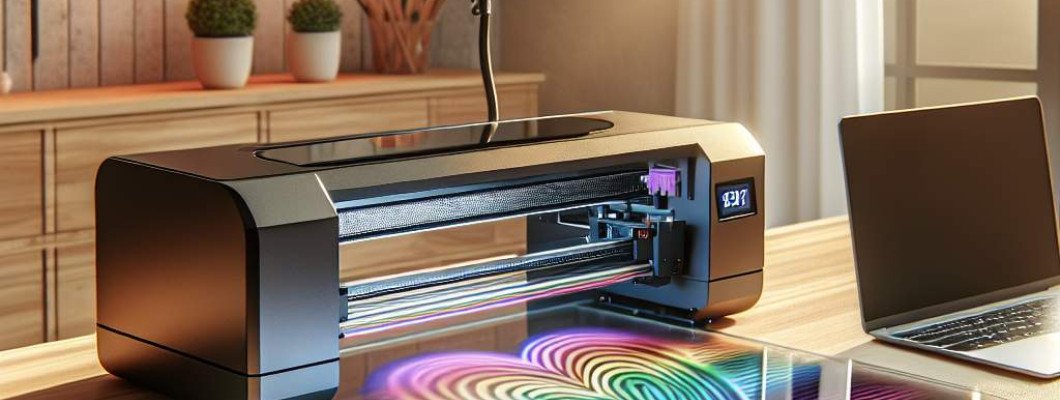
Struggling to produce secure, branded cards quickly and without delays? If you're relying on outsourcing card printing, you might be facing extended wait times, higher costs, and less control over your branding and security features. The good news is that a **card printer** can revolutionize your process, giving you the power to create custom, high-quality cards in-house—rapidly and securely.
Imagine a small business or a school administrator who used to wait weeks for IDs or membership cards to arrive from an external vendor. Now, with a dedicated card printer, they can produce personalized cards on the same day—saving time, reducing costs, and maintaining tight security standards. This simple upgrade can significantly boost your efficiency and branding consistency.
Why Relying on Outsourced Card Printing Can Be Limiting
Outsourcing card printing might seem like a simple solution initially, but it often comes with hidden drawbacks:
- Extended lead times: Waiting weeks for card delivery hampers quick credentialing or membership issuance.
- Higher costs: Bulk orders or rush jobs can inflate prices, especially for small batches or frequent updates.
- Limited customization: Design adjustments or security feature changes are met with delays, reducing agility.
- Security concerns: External vendors may not adhere to your internal standards, increasing risks of card fraud or data breaches.
In contrast, owning a **card printer** puts you in control. You instantly craft custom cards that reflect your brand and security needs without waiting on third-party timelines. It"s a game changer for organizations needing quick turnaround and stringent security measures.
How a Card Printer Elevates Your Security and Branding
Modern card printers are equipped with features that help you produce cards that are not only visually appealing but also secure against forgery. These benefits include:
- Encryption and security holograms: Easily incorporate holograms and security features directly onto the card to prevent counterfeiting.
- Personalization precision: Print high-resolution images and data tailored for each individual—whether for IDs, access control, or loyalty cards.
- Security printing options: Use UV inks, microtext, or ghost images that are only visible under specific conditions, enhancing security.
- On-demand production: Reduce risks of data theft or loss since sensitive data stays within your secure environment.
Furthermore, a **card printer** supports your branding efforts by allowing high-quality images, logos, and designs to be integrated seamlessly. This level of customization strengthens your organization's identity and makes each card uniquely yours.
Choosing the Right Card Printer for Your Organization
Not all card printers are created equal. When selecting a device, consider factors like:
- Printing technology: Dye sublimation offers vibrant colours, while resin printing is more durable for high-security cards.
- Security features: Look for printers that support hologram embedding, UV printing, or microtext for enhanced protection.
- Connectivity options: USB, Ethernet, or wireless connections for seamless integration into your existing systems.
- Print volume: Choose a printer that matches your expected usage—whether small batch or high-volume production.
- Ease of use: User-friendly interfaces reduce training time and minimize errors.
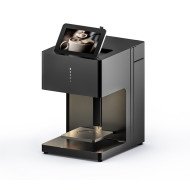
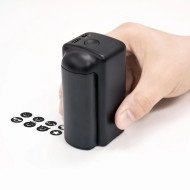
For advanced applications, like producing **promo cards with UV coating or glossy finishes**, consider equipment that supports special printing features. For example, the Spot UV Printing Machine allows adding glossy UV coatings, making your cards visually striking and more durable.
Cost-Benefit Analysis of In-House Card Printing
Investing in a **card printer** might seem costly upfront, but the return on investment quickly becomes evident:
- Cost savings: Eliminate recurring vendor fees and shipping costs.
- Time efficiency: Produce cards instantly, speeding up onboarding, access, or membership processes.
- Enhanced security: Maintain control over sensitive data and security features.
- Brand consistency: Quickly adapt designs to reflect branding updates or special campaigns.
Over time, these benefits can translate into better user experiences, increased professionalism, and stronger security posture. Despite initial costs, in-house printing often proves to be more economical and flexible.
Implementing Your In-House Card Printing System
Once you've chosen the right **card printer**, set it up with these steps for smooth operation:
- Assess your volume needs: Determine how many cards you'll produce weekly/monthly.
- Design templates: Use graphic design tools to create versatile templates that can be customized easily.
- Train your team: Ensure staff understand how to operate the printer and manage security protocols.
- Secure your data: Store sensitive information securely, and limit access to authorized personnel.
- Regular maintenance: Schedule routine checks to keep the printer functioning optimally and extend its lifespan.
Many organizations also integrate their existing HR or security software with the card printer's system for automatic data input. This streamlines the entire process and minimizes manual errors.
Summary: Why a Card Printer Is a Smart Investment
In today"s fast-paced environment, **producing secure, branded cards in-house** offers unmatched flexibility, security, and efficiency. Moving away from outsourced solutions reduces delays and allows you to respond quickly to changing requirements. Whether issuing IDs, access passes, or promotional cards, a reliable card printer empowers your organization to deliver high-quality, secure cards on your schedule.
Interested in advanced printing options? Check out this Spot UV Printing Machine for adding glossy, protective coatings that make your cards stand out and last longer.
Frequently Asked Questions
- How expensive is a professional card printer? The cost varies based on features; entry-level models can start around a few thousand dollars, while high-end, security-focused printers may cost upwards of $10,000.
- Can I print multiple types of cards with one printer? Yes, most modern printers support different card types and security features, but verify compatibility before purchasing.
- What security features should I look for in a card printer? Look for hologram embedding, UV printing, microtext, and encryption capabilities for optimal security.
- Is in-house card printing suitable for large organizations? Yes, especially with high-volume printers; it provides control, cost savings, and adaptability.
- How do I ensure the security of sensitive data during printing? Use secure storage, access controls, and encrypted data transfer to protect sensitive information processed by the printer.











Leave a Comment