
From Design File to Finished Garment: Inside a Real DTG Printer Workflow
23 Dec
Posted By
0 Comments
77 Views
Struggling to turn your design files into high-quality finished garments? Wondering how to streamline your DTG printing workflow for better results? You're not alone. Many printers face challenges in taking a digital design from the screen to a stunning, wearable product. Luckily, understanding the step-by-step process inside a real DTG printer can make all the difference. Let"s dive into the actual workflow and tackle your questions.
Understanding the Complete DTG Printing Workflow
Starting with the Digital Design
The journey begins long before the printer fires up. Have your design files ready in high-resolution formats like PNG, TIFF, or PSD. Make sure your artwork is properly prepared—clean edges, transparent backgrounds, and correct color profiles. Think of this stage as the blueprint for your garment. If your design isn"t optimized, the final print can look fuzzy or off-color. **Pro Tip:** Always preview your design on the garment template to catch errors early. This saves time and material waste later.Preparing the Garment and Printer
Once you"re satisfied with your design file, it"s time for preparation. Choose the right garment—preferably 100% cotton or a compatible blend for DTG printing. Pre-treat the fabric if needed; this step helps the ink absorb better and enhances vibrancy. In the workflow, the printer itself is a key component. This is where the magic happens. An advanced DTG printer, like the A3 DTG Printer, offers high resolution and fast speeds, making the process smoother. **Quick checklist:** - Check ink levels and perform maintenance. - Warm up the printer and perform test prints. - Load your prepared garment carefully to avoid shifting during printing.Loading Your Design and Executing the Print
With everything set, you upload your design to the printer"s software interface. Modern DTG systems often connect with design programs like Adobe Photoshop or specialized RIP software, which ensures color accuracy and print consistency. Before printing, perform a test run or small sample to verify placement and color output. Once satisfied, start your main print. During printing, the ink jets deposit pigmented inks directly onto your garment. This step takes only a few minutes but requires your attention to quality control. **Tip:** Watch for any streaks or inconsistencies—timing and proper maintenance of the print head are critical to avoid issues.Post-Processing: Curing and Quality Checks
After the print is complete, the garment needs curing—generally via a heat press or conveyor dryer. Proper curing ensures the ink binds well and the design is durable. This step can vary depending on the ink and garment material but is essential for high-quality results. Once cooled, perform a quality check: look for color vibrancy, sharp edges, and absence of smudges. A well-executed workflow results in a garment that feels soft, looks vibrant, and stands up to washing. **Remember:** The more precise your post-processing, the happier your customer will be with the final product.Tips for Improving Your DTG Workflow
- **Regular Maintenance:** Clean print heads, check ink flow, and calibrate periodically. - **Color Management:** Use color profiles and testing to ensure color fidelity. - **Consistent Pre-Treatment:** Uniform application of pre-treatment enhances color vibrancy and durability. - **Invest in Quality Materials:** From garments to inks, quality impacts the final product significantly. - **Document Your Process:** Keep records of settings, ink batches, and garments to replicate successful results consistently. For those serious about production, consider exploring high-end printers like the A3 DTG Printer. It offers precision and speed suited for both small shops and larger commercial setups.Real-Life Example: Simplifying the Workflow
A friend of mine runs a small T-shirt shop. She used to struggle with inconsistent print quality and long turnaround times. She upgraded her workflow by investing in a reliable DTG printer and establishing a clear process for design prep, printing, and curing. Now, she can handle larger orders with confidence, and her customers keep coming back for the vibrant, durable prints. You see, understanding the real workflow—right from design to finished garment—can transform your business. The secret lies in attention to detail at each stage.FAQs About the DTG Printing Workflow
1. How do I ensure color accuracy in DTG printing?
Use color profiles and soft-proofing tools within your design software. Perform test prints to adjust colors before your main run. Consistent calibration of your printer is essential.2. What kind of maintenance does a DTG printer need?
Regularly clean the print head, check ink levels, perform calibration, and run test prints. Following the manufacturer"s maintenance schedule extends printer life and keeps output consistent.3. Can I print on dark garments with DTG?
Yes, but it requires pre-treatment to help the ink adhere properly. Proper curing is also essential for durability. Choosing the right ink for dark fabrics makes a big difference.4. How long does it take to produce a single garment?
Most DTG prints take 3-7 minutes depending on design size and complexity. Post-curing adds a few extra minutes but is vital for quality.5. What type of garments work best for DTG printing?
100% cotton T-shirts, hoodies, and other natural fibers tend to produce the best results. Blends with high cotton content also work well, but synthetic fabrics might require different inks or pre-treatment. Looking to ramp up your production? Check out the A3 DTG Printer, known for its precision and reliability. This step-by-step understanding of the DTG printer workflow can dramatically improve your final product quality. With the right setup, patience, and attention to detail, you'll turn digital designs into finished garments that impress every time.
A4 DTF Printer – Compact & Efficient Direct-to-Film Printing for Apparel CustomizationThe A4 DTF Printer is a powerful and compact solut..
$0.00
Ex Tax:$0.00

Speaking Flower Printer - Interactive Photo Printing & Voice Message Gift SolutionThe Speaking Flower Printer is an innovative gift printing syste..
$0.00
Ex Tax:$0.00
4-Cups Coffee Printer – Turn Selfies into Edible Art!Impress customers and elevate your café, restaurant, or event business with the 4-Cups Coffe..
$0.00
Ex Tax:$0.00

Spot A4 LED UV Printer – High-Precision Printing on Cylindrical and Curved SurfacesThe Spot A4 LED UV Printer is a versatile, high-performance printin..
$0.00
Ex Tax:$0.00

UV Spare Parts – Comprehensive Range for UV Printer MaintenanceWe offer a complete selection of UV printer spare parts, designed to ensure your p..
$0.00
Ex Tax:$0.00

New A3 Spot UV Printing Machine Support Varnish and White PrintingThe A3 Spot UV Printing Machine brings a new dimension to your printing possibilitie..
$0.00
Ex Tax:$0.00

Textile Pigment Ink (DTG Ink) - Premium Digital Textile Printing SolutionProduct OverviewTextile Pigment Ink (DTG Ink) is a high-performance, water-ba..
$0.00
Ex Tax:$0.00
F34V4 UV Flatbed Printer – Compact Industrial-Grade Small Format UV PrinterThe F34V4 UV Flatbed Printer is a high-class, small-format industrial UV pr..
$0.00
Ex Tax:$0.00
Upgraded A4 UV Printer – Industrial-Grade Printing in a Compact FormatThe Upgraded A4 UV Printer is a newly enhanced solution built for user..
$0.00
Ex Tax:$0.00
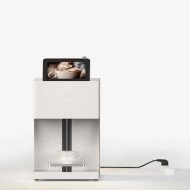
F410P Coffee Printer – High-Speed, High-Precision Custom Coffee PrintingThe F410P Coffee Printer is a cutting-edge machine designed for high-traf..
$0.00
Ex Tax:$0.00
Spot A4 LED UV Printer – High-Precision Printing on Cylindrical and Curved SurfacesThe Spot A4 LED UV Printer is a versatile, high-performance printin..
$0.00
Ex Tax:$0.00

A3 DTG Printer – High-Quality Direct-to-Garment PrintingThe A3 DTG Printer offers a professional, efficient solution for businesses looking to produce..
$0.00
Ex Tax:$0.00

A4 UV Printer Cylinder Printer – Custom Printing on Cylindrical and Curved SurfacesThe A4 UV Printer Cylinder Printer is designed to provide unparalle..
$0.00
Ex Tax:$0.00

Coffee Printer Printing Machine – Professional Custom Printing on BeveragesThe Coffee Printer Printing Machine is a professional-grade device designed..
$0.00
Ex Tax:$0.00

A2 Plus Size UV Printer – Precision Embossed Glossy Printing on Various MaterialsThe A2 Plus Size UV Printer offers a professional and versa..
$0.00
Ex Tax:$0.00

Smart Latte Coffee Printer – Innovating Beverage Personalization with Smart TechnologyThe Smart Latte Coffee Printer brings cutting-edge technology to..
$0.00
Ex Tax:$0.00
New A3 Spot UV Printing Machine Support Varnish and White PrintingThe A3 Spot UV Printing Machine brings a new dimension to your printing possibilitie..
$0.00
Ex Tax:$0.00

Mini Coffee Printer – Custom Printing on Coffee and BeveragesThe Mini Coffee Printer is a unique and innovative solution for businesses looking to add..
$0.00
Ex Tax:$0.00

Edible Food Ink - Premium Printing Solution for Culinary ArtistryGNFEI Edible Food Ink is a high-performance, food-grade ink specially formulated for ..
$0.00
Ex Tax:$0.00

The Flower Printer is a revolutionary printing solution designed specifically for the floral industry, enabling businesses to create personalized, vib..
$0.00
Ex Tax:$0.00
Leave a Comment