
AI-enabled workflow and dtg printer updates sharpening print quality for independent clothing brands
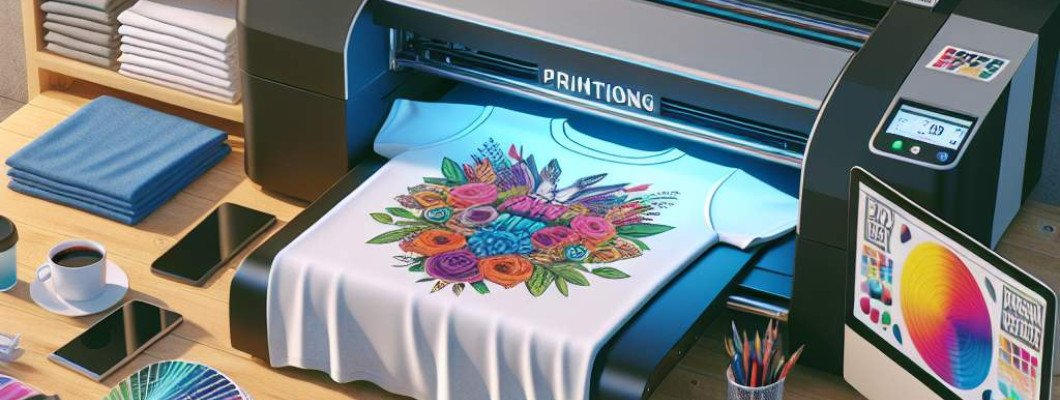
Struggling to Achieve Sharp, Vibrant Prints with Your DTG Printer?
If you're running an independent clothing brand, you know how critical print quality is for standing out. Maybe you've tried various settings or upgrades, but your prints still lack that sharpness and vibrancy you want. Sounds familiar, right? The good news is, with the latest advances in AI-enabled workflows and DTG printer tech, you can significantly boost your print quality. Let me explain how these updates are changing the game for small apparel brands like yours.
Why Are AI and New Printer Upgrades So Important for Print Quality?
Print quality depends on a lot of factors, from ink consistency to image processing. But the breakthrough comes when we use AI algorithms integrated directly into the workflow. This tech can analyze your designs and optimize every step—color correction, image sharpening, and even ink distribution. Meanwhile, hardware updates like the newest DTG printers deliver more precise control, faster speeds, and better color depth. When combined, these innovations can turn a good design into an eye-catching masterpiece.
How AI-Enabled Workflows Improve Print Sharpness
- Automated Image Optimization: AI algorithms automatically analyze your artwork for resolution, sharpness, and color accuracy. They then make real-time adjustments that ensure your prints are crisp and vibrant. Think of it as having a digital quality expert in your corner.
- Consistent Color Matching: AI helps maintain color consistency across batches, so your clothing line looks uniform and professional, even when printing multiple colors or complex graphics.
- Smart Print Path Planning: AI can optimize the printing path to reduce bleed and smudges, leading to cleaner edges and sharper details.
In practice, this means you spend less time tweaking settings and more time creating. Plus, your customers get clothing that really pops with clarity and color depth, boosting your brand"s reputation.
DTG Printer Updates That Sharpen Your Print Quality
The latest direct-to-garment printers, like the A3 DTG Printer, have hardware improvements that support the AI workflows perfectly:
- Higher Resolution Printing: Modern DTG printers now support up to 1200 dpi, ensuring fine details and smooth color gradients.
- Enhanced Inkjet Technology: Newer printheads offer better ink dispersion, reducing color bleed and blurriness.
- Auto-Calibration Features: These keep your printer perfectly aligned, helping maintain sharp edges and consistent results over time.
- Faster Print Speeds: Quicker workflows mean you can fulfill more orders without sacrificing quality.
Imagine chatting with a fellow indie clothing reseller who just upgraded their printer. They joke, "My designs are now so sharp they look like they"re printed with a laser." That"s what these upgrades can do for your brand, too.
Integrating AI and Hardware for Maximum Results
Here"s how to get the best out of both worlds:
- Choose a compatible, high-quality DTG printer—like the A3 model to ensure accuracy and detail.
- Implement AI-powered software for design prep and workflow automation. Many software solutions now offer AI enhancement features for free or at low cost.
- Perform regular calibration and maintenance on your printer to keep hardware in optimal condition.
- Test your designs thoroughly—use AI tools to compare the printed output with digital artwork and fine-tune as needed.
Once integrated, expect to see a marked improvement in print sharpness, color vibrancy, and consistency. This setup not only enhances product quality but also streamlines your entire production line.
Real-Life Success Story: From Blurry to Brilliant Prints
Take Sarah, an indie brand owner who was struggling with fuzzy prints. She invested in an AI workflow system and a new DTG printer. Within weeks, she saw her designs turn out much cleaner and more detailed. Her customers started noticing the difference, giving her glowing reviews. She says, "It's like I"ve leveled up my entire printing game without hiring more staff." That"s the kind of transformation these updates can promote for your brand, too.
Questions You Might Have
Q1: Will upgrading my printer require a lot of technical knowledge?
Not necessarily. Many modern DTG printers come with user-friendly features like auto-calibration. Plus, AI software often includes simple interfaces—think one-click adjustments. You can learn as you go, and support from manufacturers makes it easier.
Q2: Is AI-powered workflow expensive for small brands?
While initial costs vary, the efficiency gains and improved product quality often offset the investment. Some AI tools are free or have affordable subscription plans, making them accessible for indie brands.
Q3: How soon can I expect to see improvements?
You should notice sharper, more vibrant prints within a few sessions after setup. The quicker your workflow integrates AI and hardware updates, the faster the results.
Q4: Can these updates handle complex graphics or multiple colors?
Absolutely. Modern AI algorithms excel at handling complex images, ensuring sharpness and color accuracy even with intricate designs or multi-colored prints.
Q5: Where can I find reliable AI tools and printers?
Start with trusted brands like GNFEI for printers, especially models like the A3 DTG Printer. For AI workflow software, research options that integrate seamlessly with your equipment. Reading reviews and consulting with suppliers can help you choose what best fits your needs.
If you're serious about elevating your print quality and making your clothing brand stand out, investing in AI-enabled workflows and the latest DTG hardware is worth considering. It"s about working smarter, not harder, and delivering products that wow your customers every single time.











Leave a Comment