
AI-assisted color management improving dtg printer output quality amid rising customization demands
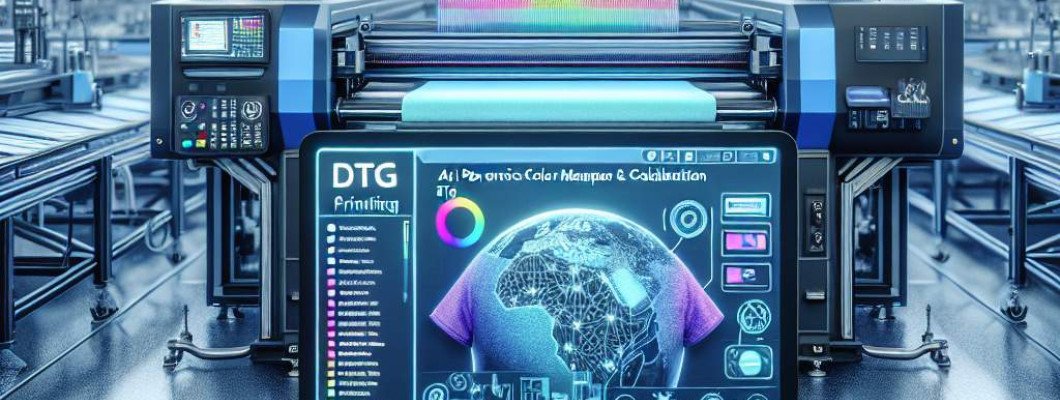
Struggling to get consistent, high-quality prints from your DTG printer in today"s demand for customization?
If you"re dealing with unpredictable color accuracy or struggling to meet client expectations, you're not alone. As more businesses shift toward personalized designs, maintaining top-notch output quality becomes a critical challenge. That"s where AI-assisted color management can make a real difference. By leveraging advanced algorithms, you can optimize your DTG printer"s output for vibrant, accurate colors every time.
Let"s dive into how AI is transforming digital textile printing and why it should be a part of your workflow.
Understanding the Role of AI in Color Management
What exactly is AI-assisted color management?
Imagine having a digital assistant that constantly calibrates your printer"s color output, ensuring every print matches the design"s intended colors. AI-assisted color management uses machine learning algorithms to analyze and adjust color profiles automatically. This means less manual tweaking and more consistent results. It"s like having an expert colorist working behind the scenes, 24/7.
Why is it crucial amid rising customization demands?
Customers want personalized products that look just right. One slip in color accuracy could ruin a custom order. AI helps eliminate these issues by adapting to different fabrics, inks, and designs in real-time. You get vibrant, exact colors for each print, regardless of the complexity or variability of your designs.
How AI-Assisted Color Management Enhances Your DTG Printing
1. Consistency and Precision
Manual calibration can be time-consuming and inconsistent. With AI, your printer automatically adjusts settings based on real-time data. You get uniform color coverage across batches, reducing waste and reprints.
Think of it like having your print shop"s most experienced operator on duty constantly fine-tuning your machine. This consistency boosts customer satisfaction and builds trust in your brand.
2. Faster Turnaround Times
Automated calibration means less downtime. Instead of lengthy manual tests and adjustments, AI runs discreetly in the background, maintaining optimal performance. This efficiency allows you to handle more orders without sacrificing quality.
3. Better Color Accuracy for Complex Designs
Some designs involve multiple shades and gradients. AI accurately predicts how inks will interact on different fabrics, adjusting profiles for vivid and precise colors. This reduces color mismatches, especially important for high-end fashion or branding projects.
4. Reduced Waste and Cost Savings
p>Large inaccuracies lead to rejected prints. AI minimizes errors, reducing ink waste and reprints. Over time, this lowers your operational costs and improves profit margins.What to Look for in AI-Assisted Color Management Software
Compatibility and Integration
Ensure the software seamlessly integrates with your existing DTG printer. Check if it"s compatible with your specific model, such as the A3 DTG Printer.
Ease of Use
Opt for intuitive interfaces that don"t require a tech background. Quick setup and minimal manual effort are essential for practical use.
Real-Time Calibration Capabilities
Immediate adjustments are key. Confirm the software offers real-time feedback and automatic calibration options.
Learning and Adaptation
Advanced AI learns from your specific printing conditions, fabric types, and inks, continuously improving its calibration accuracy.
Implementing AI in Your Printing Workflow
Start Small
Test AI tools on a few designs before full integration. Monitor output quality and stability.
Train Your Team
Ensure staff understands how the technology works. Proper training maximizes the benefits and minimizes user errors.
Regular Monitoring
While AI automates calibration, periodic manual checks ensure everything stays on track. Data from these checks can also help the AI improve further.
Choose the Right Tools
Research and select software that fits your specific needs. Consider factors like cost, support, and compatibility. For example, explore options like this A3 DTG Printer, which supports advanced color profiling features.
Real User FAQs
Q: Will AI-assisted color management eliminate all color mismatches?
A: While it significantly reduces errors, some brand-specific adjustments might still be necessary for complex designs or unique fabrics. It"s about improving consistency, not complete automation.
Q: How much does AI color management software typically cost?
A: Prices vary widely depending on features and compatibility. Basic solutions can start around a few hundred dollars, while enterprise-grade systems may cost several thousand. Evaluate your volume and precision needs.
Q: Can I use AI color management with my existing DTG printer?
A: Compatibility depends on your printer model and available software integrations. Many modern printers support external calibration tools, but it"s best to check with your manufacturer or vendor.
Q: How quickly can I see improvements after implementing AI?
A: Many users report noticeable improvements within days, especially in color consistency and production speed. Continuous operation helps the AI learn and adapt for even better results over time.
Q: Is AI-assisted color management suitable for small shops?
A: Absolutely. It helps streamline operations, reduce waste, and improve quality without requiring extensive manual calibration. It"s an investment that pays off for shops of all sizes.
```










Leave a Comment