
3D Texture Effects: A Step-by-Step Guide to Creating Embossed & Varnish Prints on Your UV Machine

Struggling to create eye-catching textures on your UV prints?
If you're into UV printing, you know that adding 3D texture effects like embroidery or embossed looks can really make your designs stand out. But getting those effects right isn"t always straightforward. Maybe you've tried different techniques and still aren't getting the depth or finish you want. Well, you're not alone. Many printers ask, "How do I make embossed & varnish effects that look professional without investing in super expensive equipment?"
That's where understanding **3D texture effects** and how to apply them with your UV machine comes in. Whether you're a small shop or a large manufacturer, mastering these steps can boost your prints' appeal and add value to your products. Today, I"ll walk you through a clear, step-by-step guide to creating stunning embossed and varnish prints on your UV machine.
Getting Started with 3D Texture Effects on UV Printing
What Are 3D Texture Effects?
Basically, 3D texture effects are ways to add dimension and tactile elements to your printed surfaces. Think of raised logos, shiny varnish overlays, or embossed patterns that you can feel. They"re great for branding, product packaging, or customized gifts. By applying these effects, you make your prints more engaging and memorable—plus, they look high-end.
The Benefits of Using Your UV Machine for Embossed & Varnish Prints
- Cost-effective: No need for multiple machines or special post-processes.
- High precision: Digital control means detailed effects.
- Speed: Faster turnaround times for textured designs.
- Flexibility: Easily switch between different effects for varied projects.
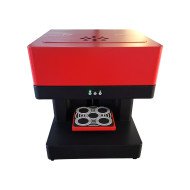
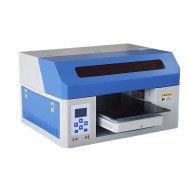
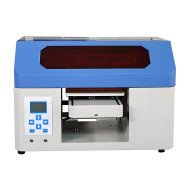
If you've already invested in a **spot UV printing machine**, like this Glossy UV Coating Printer, you"re halfway there. Now it's just about knowing how to use it for these special effects.
Step-by-Step Guide to Embossed & Varnish Effects with Your UV Machine
Step 1: Design Your Artwork Mindfully
Start with creating a vector-based design with layers dedicated to different effects. For embossed looks, define the areas that need to stand out, and for varnishes—identify zones to highlight with gloss or matte finishes. Keep in mind, the more detailed your design, the better the final effect. Match your design with your machine"s capabilities for ultra-fine detail.
Step 2: Prepare Your Files Correctly
- Use high-resolution files: At least 300 dpi to ensure clarity.
- Separate layers: One for base colors, one for embossed areas, another for varnish overlays.
- Apply proper color coding: Use spot colors to define where varnish or embossing should occur.
This step helps your UV machine process exactly what effect to apply and where to apply it. Think of it like giving clear instructions to a craftsman.
Step 3: Set Up Your UV Machine
Check your UV printer"s settings for the best results. For embossed effects, you typically need to adjust the curing zones, ensuring the areas designated for embossing cure properly without overexposure. For varnish, select the appropriate glossiness level and coating thickness. Some machines let you control the layer height to simulate depth.
Step 4: Perform Test Prints
Always run a small test first. Adjust the UV curing time, coating, and layer height—this step saves you from wasting material and ensures your effect looks perfect before the final run. Pay attention to how well the raised areas feel and how glossy the varnish appears.
Step 5: Finalize and Print
Once you"re satisfied with the test, proceed with your full print run. Keep the settings consistent. If producing a batch, double-check the calibration regularly so that texture and varnish finish remain uniform across all prints.
Tips to Maximise Your 3D Texture and Varnish Prints
- Use high-quality substrates: Smooth, glossy surfaces work best for embossing and varnish effects.
- Layering: Add multiple coats of varnish for richer shine or deeper embossing.
- Mix textures: Combine matte and gloss varnish for contrast.
- Limit effects to focal points: Don't overdo embossing or varnish—highlight only key areas to avoid clutter.
- Experiment with thickness: Thicker layers will increase depth but may require longer curing times.
And don't forget, practice makes perfect. The more you experiment, the better you"ll understand your machine"s nuances. I once chatted with a client who started with simple logos and soon moved to creating embossed packaging with stunning tactile effects. Now, they're winning awards for packaging design.
FAQs About 3D Texture Effects on UV Machines
Q1: Can I create embossed textures with a regular UV printer?
Yes, many UV printers allow you to create embossed effects if they support spot UV coating and layered printing. Make sure your machine can handle multi-pass or variable layer heights.
Q2: How do I ensure the varnish stays glossy and doesn"t smudge?
Use high-quality UV-curing varnish and adjust your curing settings accurately. Avoid excessive handling immediately after printing. Proper ventilation and drying times also help.
Q3: What's the difference between matte, gloss, and satin varnish finishes?
Glossy varnish creates shiny, reflective surfaces—great for highlighting details. Matte reduces glare, offering a softer finish. Satin offers a balanced, semi-gloss appearance. Choose based on your design goals.
Q4: How thick should the embossing layer be?
This depends on your design and substrate. Typically, 10-50 microns works well for embossed effects. Use your machine"s settings to control layer height and test before mass production.
Q5: Can I combine embossing with other effects, like foil or spot colour?
Absolutely. Combining effects can add a lot of value. Just make sure your design files are well-organized and your machine settings are adjusted accordingly for each effect.
Ready to upgrade your UV prints? Mastering 3D texture effects like embossed and varnish prints can be a game-changer. With the right setup and practice, you'll be creating premium-looking products that really stand out.















Leave a Comment