
Enhance Your Custom Apparel Business with Advanced A3 T-Shirt Printing Solutions
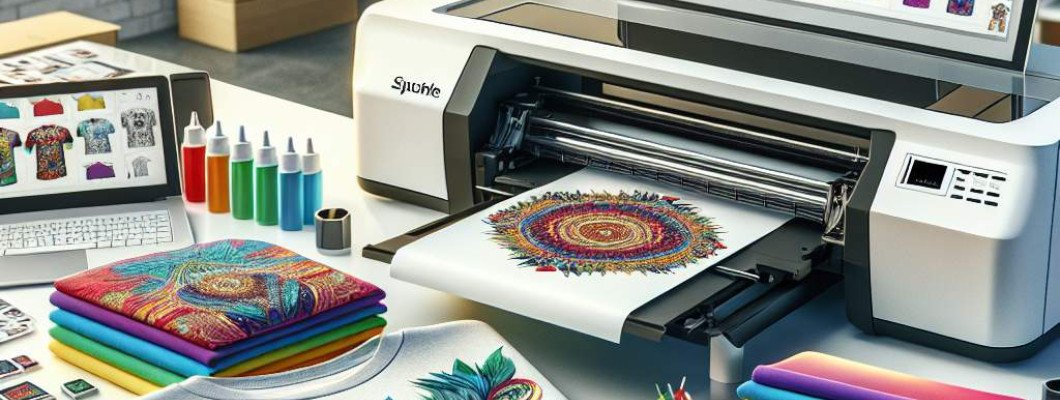
Are You Struggling to Achieve Vibrant, High-Quality Prints on T-Shirts? Discover the Power of A3 DTG and T-Shirt Printers
Let"s face it—owning a t-shirt printing business today means more than just having a creative idea. You need reliable, efficient equipment that can produce crisp, vibrant designs consistently. If you're tired of mediocre results or slow turnaround times, then focusing on an A3 DTG (direct-to-garment) printer or an A3 t-shirt printer might be your game-changer. I"ve chatted with many entrepreneurs who upgraded to these printers and immediately saw their productivity and quality improve
Why Are A3 DTG and T-Shirt Printers Such a Game Changer?
Understanding the A3 Printing Format
The "A3" size refers to a printing area approximately 11.7 x 16.5 inches. This size strikes a perfect balance—it"s large enough for detailed, full-front designs on t-shirts but compact enough to keep costs manageable. When you're printing designs with complex graphics or multi-coloured artwork, an A3 printer lets you maximize detail without worrying about size limitations .
Benefits of Using A3 DTG and T-Shirt Printers
- High-Resolution and Vibrant Colors: These printers produce sharp, bold, and durable designs. The direct-to-garment technology deposits ink directly onto fabric, enabling rich colours and fine details.
- Cost Efficiency: Compared to larger industrial printers, A3 models cost less upfront and use less ink, making them perfect for small to medium businesses.
- Fast Turnaround: Modern A3 printers handle multiple prints quickly, helping you meet tight deadlines or process bulk orders with ease.
- Compact and User-Friendly: They don"t take up much space and are designed for ease of operation—even if you"re new to textile printing.
- Versatile Applications: Beyond T-shirts, these printers handle hoodies, tote bags, and even some soft signage.
Imagine you"re chatting with a friend who runs a small custom apparel shop. She switched from a DIY heat transfer approach to an A3 DTG printer. Her workflow became smoother, with higher quality prints that clients loved. Orders that used to take days now get fulfilled within hours. Pretty inspiring, right?
Choosing the Right A3 T-Shirt Printer for Your Business
Key Features to Look For
- Print Resolution: Aim for at least 1440 dpi for sharp details.
- Ink Compatibility: Water-based pigment inks are standard, but make sure they"re fade-resistant and eco-friendly.
- Color Range and Ink System: Multiple colour cartridges ensure vibrant, full-colour designs.
- Ease of Maintenance: Regular cleaning and easy ink refill processes save you time and money.
- Connectivity Options: USB, Wi-Fi, or Ethernet—pick the one that fits your setup.
Considering Your Business Needs
Determine your typical order volume and desired print size. For instance, if you plan to do a lot of intricate, colourful designs, investing in a model with high resolution and colour fidelity makes sense. Alternatively, if your focus is on simple, large designs, you might prioritize speed and durability.
Why Not Go for the Cheapest Option?
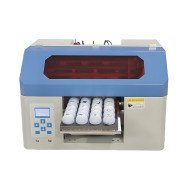
While it might be tempting to buy a low-cost A3 t-shirt printer, consider the long-term costs. Cheaper models often lack durability, produce less vibrant colours, and may require frequent repairs. This can lead to delays, unhappy customers, and ultimately hurt your reputation . Investing in a reliable, well-reviewed printer like this A3 DTG printer from trusted brands ensures you get consistent results and quality that satisfies your clients.
How to Maximise Your Investment
Proper Setup and Maintenance
- Always keep the printhead clean and perform regular calibration.
- Use high-quality inks and fabrics compatible with your printer.
- Maintain a clean workspace to prevent dust and debris from affecting print quality.
- Update your printer"s firmware and software to access new features.
Training and Skills Development
Even the best equipment needs proper handling. Spend some time learning about printer settings, colour management, and fabric types. Many manufacturers offer tutorials or customer support—take advantage of those. The more you know, the better your results.
Sample Workflow Using an A3 T-Shirt Printer
Let"s walk through a simple process:
- Design Preparation: Create your artwork in high resolution, ensuring colours are vibrant and outlines are clear.
- Pre-treatment: Apply a coating to the fabric if needed to enhance ink adhesion.
- Printing: Load the t-shirt or fabric into the printer, select the proper settings, and start printing.
- Drying and Curing: Use a heat source to set the ink and improve durability.
- Inspection and Packaging: Check for key quality markers and prepare for delivery.
Once you establish a smooth process, your turnaround time shrinks, and repeat orders become easier. Plus, with quality consistent results, your reputation grows organically .
Ready to Upgrade Your T-Shirt Printing Business?
Investing in an A3 DTG or T-shirt printer can truly elevate your production, quality, and customer satisfaction. Think of it as the core of your business—like choosing the right tools for any craft. When you pick the right printer, you"re not just making shirts; you"re creating lasting impressions.
If you"re curious to see what a top-model A3 DTG printer can do, check this out: Learn more about the A3 DTG Printer and how it can transform your business.
FAQs About A3 DTG and T-Shirt Printers
1. Can I print on any fabric with an A3 DTG printer?
Most A3 DTG printers work best with cotton and certain natural fabrics. Synthetic blends may require pre-treatment or special inks.
2. How durable are the prints on T-shirts?
With proper curing and high-quality inks, prints can last through many washes without fading or cracking.
3. Is it easy to learn how to use an A3 t-shirt printer?
Yes, most models come with user-friendly interfaces. Basic training and practice can have you printing professional-quality designs quickly.
4. How much space do I need for an A3 DTG printer?
Most models are compact enough for small studios or home setups, requiring about 3x4 feet of space.
5. What kind of maintenance is involved?
Regular cleaning of the printhead, ink refilling, and occasional calibration are typical; most brands provide clear instructions for easy upkeep.
















Leave a Comment