
T-SHIRT PRINTER Order Management in High-Mix, Low-Volume Scenarios
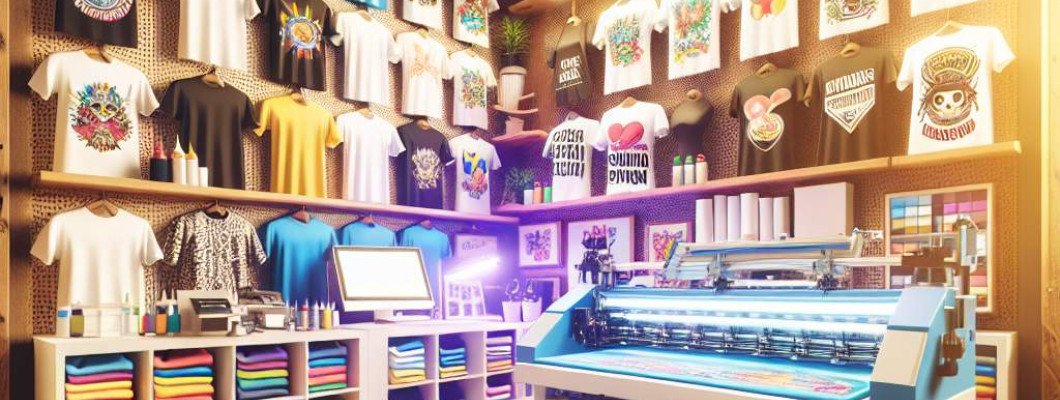
Are you struggling to manage T-shirt orders efficiently in high-mix, low-volume scenarios? If your printing business faces fluctuating demands and a vast variety of designs, streamlining order management can feel overwhelming. The right approach isn"t just about having the best equipment, but about optimizing your workflow to handle diverse jobs without sacrificing quality or speed. When you master this, you"ll reduce errors, speed up production, and keep your customers satisfied. In this article, we'll explore proven strategies to improve order management for T-shirt printers operating in high-mix, low-volume environments.
Managing multiple, often complex, orders with different designs, sizes, and color combinations requires a thoughtful approach. Imagine chatting with a friend who owns a custom apparel shop. They used to struggle with mixing orders of 10, 20, or even 50 different T-shirts daily, often missing deadlines or making costly mistakes. Then they adopted a structured workflow tailored for high-mix, low-volume production. They saw a dramatic improvement — less confusion, more accurate orders, and happier customers. That"s the kind of transformation you can achieve with the right strategies.
Understanding the Unique Challenges of High-Mix, Low-Volume T-Shirt Printing
High-mix, low-volume printing involves producing many different designs in small quantities. This differs significantly from mass production, where the same design is printed repeatedly. The main challenges include:
- Managing a large variety of designs and sizes which can cause confusion and delays.
- Keeping track of order status across multiple jobs.
- Minimizing setup times for each unique design or color change.
- Ensuring quality control when switching between different jobs rapidly.
Strategies for Effective Order Management in High-Mix Environments
Implementing a robust system is key. Here are proven strategies to organize your workflow and keep your operations running smoothly:
1. Adopt a Digital Order Management System (OMS)
A centralized OMS helps keep track of all orders, their statuses, and specific requirements. Features to look for include:
- Order tracking from receipt to delivery.
- Design and size documentation for each job.
- Automatic updates and notifications for deadlines and changes.
Using an OMS reduces manual errors and keeps everyone on the same page. Cloud-based platforms allow remote access, making collaboration easier.
2. Streamline Your Workflow with Clear Job Sequencing
Designate specific steps for each order, from design approval to printing and finishing. Prioritize jobs based on deadlines or complexity, and group similar jobs to minimize setup times—especially color switches on your printer. For example, printing all jobs with red ink together before switching to blue reduces downtime.
Implement visual scheduling tools like kanban boards or digital dashboards to maintain an overview of upcoming jobs. This clarity prevents bottlenecks and last-minute rushes.
3. Standardize Processes for Consistency and Speed
Develop standard operating procedures (SOPs) for common tasks such as:
- Design preparation and file checking
- Color separations and proofs
- Printer setup and calibration
- Quality inspections
Training staff to follow these SOPs ensures quick, uniform processing, even when handling multiple small orders.
4. Utilize Efficient Printing Technologies
Investing in the right equipment significantly impacts your ability to handle high-mix, low-volume orders efficiently. For instance, the A3 DTG printer provides fast changeovers, high-quality prints, and ease of use, making it ideal for production with varied designs. Features to look for include:
- Quick setup and color change capabilities
- Reliable print quality
- Low maintenance and easy calibration
Such printers allow you to switch from one design to another rapidly, reducing downtime and fulfilling orders faster.
5. Implement Color and Design Management Tools
To reduce errors during setup, use color management software that ensures accurate color matching across designs. Keep a digital library of design files, colors, and templates for quick access. This will speed up the process from order receipt to printing, especially when handling multiple orders with similar colors or designs.
6. Embrace Lean Manufacturing Principles
Applying lean principles—like minimizing waste, reducing idle time, and continuous process improvement—can optimize your workflow. Regularly review your processes, identify bottlenecks, and implement incremental improvements. For example, creating dedicated workstations for different stages can reduce handling time and errors.
Case Study: Boosting Efficiency for a High-Mix T-Shirt Print Shop
Consider a small shop that transitioned to a digital order management system and upgraded to a flexible printer. They organized their workspace around print batches based on colors and design complexity. Their team was trained on SOPs and used digital tools for tracking each order. As a result, they reduced their turnaround time by 30%, increased order accuracy, and significantly improved customer satisfaction. Attention to detail and process optimization empowered them to scale their operations without sacrificing quality.
Ready to take your high-mix, low-volume T-shirt printing to the next level? Investing in a versatile, reliable direct-to-garment printer like the A3 DTG printer can be a game-changer for your business. It streamlines setup, speeds up production, and ensures excellent print quality across a wide range of designs.
FAQs
Q1: How can I reduce setup times when switching between designs?
Use standardized templates, pre-calibrated printers, and batch similar jobs together. Training staff on quick changeover techniques also helps.
Q2: What software is best for order management in high-mix environments?
Look for platforms that integrate order tracking, design management, and production scheduling—popular options include Printavo, Ordoro, or custom ERP systems tailored for print shops.
Q3: How important is printer choice for handling a variety of designs?
Extremely important. An adaptable printer with quick changeover features and consistent quality, like the A3 DTG, allows you to fulfill diverse orders efficiently.
Q4: How can I ensure quality with numerous small orders?
Implement strict QA processes, use calibration tools, and standardize color matching. Regular staff training maintains consistency across jobs.
Q5: Can I scale my high-mix, low-volume operations over time?
Yes. Focus on optimizing workflows and investing in scalable equipment. Automation and digital management systems enable growth without becoming overwhelmed.















Leave a Comment