
UV Printer Challenges You’ll Face—and How Businesses Solve Them
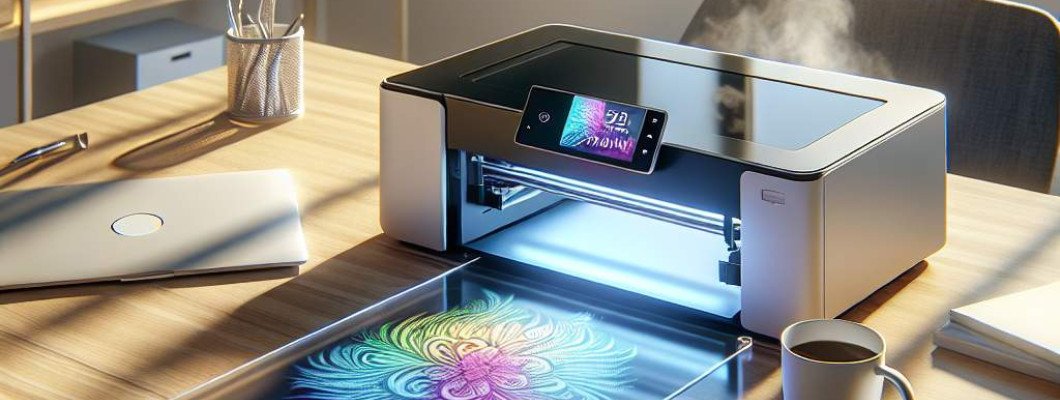
Struggling with UV Printer Challenges? Here's How Top Businesses Tackle Them
If you've recently invested in a UV printer or are thinking about it, you might be wondering: What common challenges can I expect? and more importantly, how do successful companies overcome these issues? UV printing technology offers incredible versatility and quality, but like any advanced equipment, it comes with its hurdles. The key to success lies in understanding these challenges and implementing effective solutions. Today, we'll explore the main problems faced by UV printer users and share proven strategies to keep your production smooth and your output top-notch.
Understanding UV Printer Challenges
UV printers are revolutionizing industries from promotional products to fine art. However, mastering their operation isn't always straightforward. Some problems are technical, others are process-related, but all require attention. Most of these issues occur due to the unique nature of UV printing: rapid curing, high precision, and sensitive ink behavior. Recognizing these common challenges is the first step toward overcoming them.
Common UV Printer Challenges and How to Solve Them
1. Ink Adhesion and Durability Problems
One of the most frequently reported challenges is ink adhesion—particularly on non-porous surfaces like glass or metal. Poor adhesion can lead to peeling, fading, or uneven coating over time.
- Solution: Use specialized UV inks formulated for specific materials. Conduct test runs to find the best ink type for your surfaces.
- Surface Preparation: Clean surfaces thoroughly to remove dust, oil, or grease. For better adhesion, consider light sanding or applying a primer.
- Environmental Control: Maintain optimal humidity and temperature in your printing environment, as these factors influence ink curing and adhesion.
Investing in high-quality, compatible inks can dramatically improve results. Check out the [Spot UV Printing Machine by GNF](https://www.gnfei.com/products/spot-uv-printing-machine-glossy-uv-coating-printer.html) for solutions designed specifically for these challenges.
2. Curing and Drying Issues
Inadequate UV curing results in smudging, tackiness, or incomplete print bonds. Conversely, over-curing can cause color shifts and substrate damage.
- Solution: Adjust the exposure time and UV lamp intensity based on material thickness and ink type.
- Regular Maintenance: Keep UV lamps clean and replace them as recommended. Dirty lamps reduce curing efficiency.
- Use Quality Equipment: Investing in high-output UV lamps and advanced sensors ensures consistent curing performance.
This ensures a solid, durable finish, critical for applications like signage or product labeling. A well-calibrated UV system minimizes rejects and boosts productivity.
3. Print Quality and Resolution Challenges
Achieving sharp images without banding, color inconsistencies, or blurry details is vital. Low resolution or misaligned printing ruins professional appearance.
- Solution: Regularly calibrate your printer and perform test prints before major jobs.
- Use High-Quality Files: Ensure digital artwork is in the correct resolution and with proper color profiles.
- Software Optimization: Use advanced RIP software that manages color consistency and precision in print paths.
Trial and error combined with consistent maintenance improve image accuracy significantly, especially for complex designs.
4. Managing Overspray and Ink Waste
Another challenge is overspray—where ink spreads beyond the desired print area, wasting material and affecting quality.
- Solution: Fine-tune your print settings, especially for small or detailed jobs.
- Use Masking or Stencils: To prevent overspray, especially on delicate surfaces.
- Regular Cleaning: Keep nozzles and print heads clean to avoid clogs that cause inconsistent ink flow.
Reducing wastage not only saves costs but also improves the sustainability of your operation.
5. Temperature and Humidity Control
Environmental factors greatly influence UV printing quality. Too much humidity can cause ink to spread or bubble, while temperature fluctuations may affect curing times.
- Solution: Use climate-controlled rooms for critical jobs.
- Monitor Conditions: Install sensors and maintain a steady environment to ensure consistent results.
- Material Storage: Store substrates in controlled conditions to prevent warping or moisture absorption.
Better environmental management directly correlates with fewer print defects and higher quality output.
Staying Ahead of UV Printing Challenges
The key to mastering UV printer challenges is continuous learning and proactive maintenance. Regularly update your equipment and stay informed about new ink formulas or curing techniques. Engage with user communities and technical support teams for tailored advice. Implement quality controls from the start to catch issues early and minimize waste.
By understanding these common hurdles and applying expert solutions—like those found at GNFEI's UV printing solutions—you can boost your productivity and improve print outcomes. Remember, a well-maintained UV printer is a reliable partner in delivering precision and durability for your projects.
FAQs About UV Printer Challenges
Q1: How often should I replace UV lamps?
Typically, UV lamps last between 1,000 to 2,000 hours of use. Regularly monitor output intensity and replace when curing becomes inconsistent.
Q2: Can UV printers print on flexible materials?
Yes, many UV printers can handle flexible substrates like vinyl or plastic films. Use the right ink and adjust settings accordingly for optimal adhesion and flexibility.
Q3: What are the best ways to prevent ink clogging?
Regularly clean print heads, use high-quality inks, and perform routine maintenance as recommended by the manufacturer.
Q4: How can I improve print resolution on complex designs?
Ensure digital files are high-resolution, calibrate your printer often, and use advanced RIP software to control the print path and color consistency.
Q5: What environmental controls are recommended for UV printing?
A temperature of 20-25°C and humidity levels around 40-60% are ideal. Use climate-controlled rooms for consistent results, especially in high-precision work.
```


















Leave a Comment